0

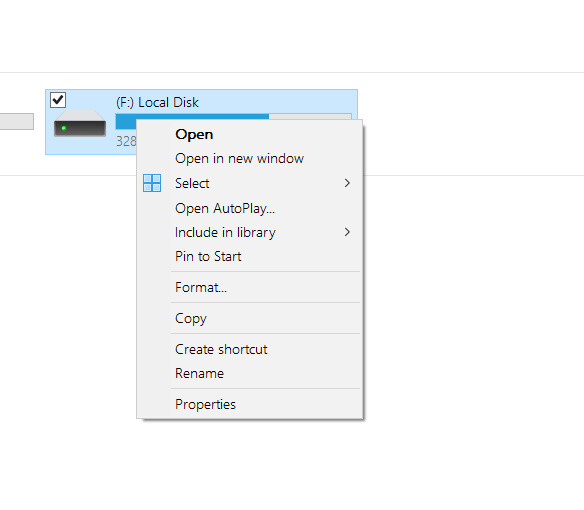
When I plug in my external hard drive (again, NOT USB stick), and right click on the icon in This PC, there is no option to eject the drive.

https://i.postimg.cc/J7xg0mK4/Fullscreen-capture-26-10-2023-002517-bmp.jpg

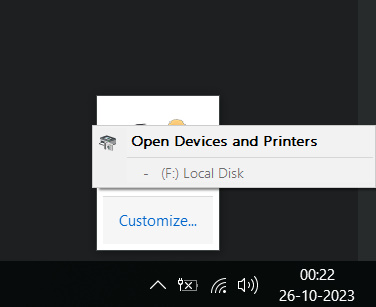
There is a system tray option to "safely eject" external drives but not only the F:\ is grayed out but also doesn't name the HDD like it use to (WD passport 25E1)

https://i.postimg.cc/rpgWWhHW/Fullscreen-capture-26-10-2023-002251-bmp.jpg

Steps I have taken to resolve the issue:

  1. Restarting Explorer
  2. Restarting PC (when it comes back up, the situation remains the same)
  3. Removing the drive from device manager and attaching it in different port (situation remains the same)
  4. Running the command:

RunDll32.exe shell32.dll,Control_RunDLL hotplug.dll

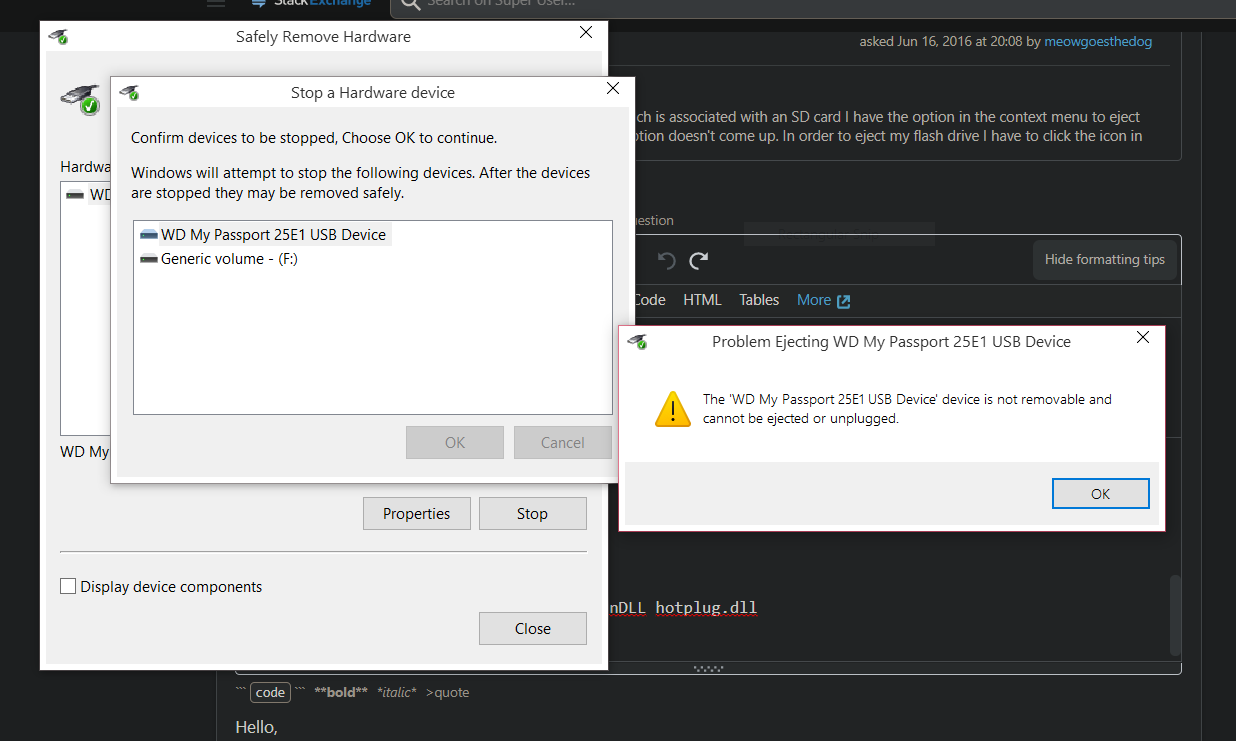
Gives me this: https://i.postimg.cc/MHM7b7kD/image-2023-10-26-004839.png

"The device is not removable and cannot be ejected"

This is I have in the device manager: https://i.postimg.cc/3NV1X1t8/Capture.png

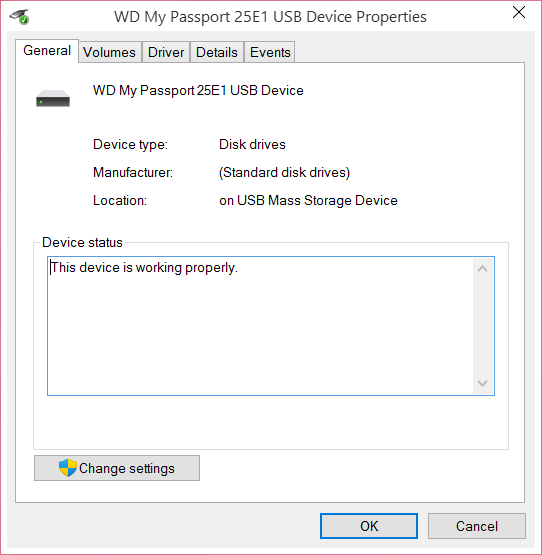
The device drivers seem to be intact: https://i.postimg.cc/prhYL8Rg/2.png

Please also note that I can transfer the files from and to the device without any issues. Please also note the same external HDD doesn't have this issue on another computer I tried it on.

There's important data on the drive and I'm scared that if I keep pulling the plug without safely removing the device, I may end up in a situation where Windows start showing notification that "drive is corrupt and needs fixing" and wouldn't let me use it. I can't afford to lose the data on this HDD.

Any help will be greatly appreciated.

Please don't mark the question duplicate because most of the similar issues are about USB drives and not external HDD drive and rest doesn't answer my question.

wealstarr
  • 11
  • 2
  • With the drive still connected, try signing out, then signing back in and see if the drive can be ejected after that. – John Oct 25 '23 at 19:38
  • 2
  • It is the verbatim title of https://superuser.com/questions/1090193/windows-10-no-option-to-eject-external-hard-drive-not-usb-stick – DrMoishe Pippik Oct 25 '23 at 19:44
  • You can also "pull the plug" when you see the UEFI crap on the reboot. I assure you the OS is no longer holding on to the drive. – Señor CMasMas Oct 25 '23 at 19:44
  • @John Just tried that, didn't work. Nevertheless, thank you for the response. – wealstarr Oct 25 '23 at 19:45
  • There are free third-party tools such as Safely Hotswap Hardware, http://mt-naka.com/hotswap/index_enu.htm and numerous alternatives. – DrMoishe Pippik Oct 25 '23 at 19:47
  • @DrMoishePippik No sir, my question is different. In the question you linked to, user's device was locked by a process and Windows wouldn't let them eject saying that device is in use. My issue is Windows says "devices is not removable and can't be ejected" even when there's no process locking it. – wealstarr Oct 25 '23 at 19:49
  • @SeñorCMasMas Yeah, there's one way of doing it but I use this device often and don't want to restart every time I want to unplug it. I would rather seek a more prominent solution. In any case, many thanks for the tip and kind assistance – wealstarr Oct 25 '23 at 19:50
  • @DrMoishePippik I was able to remove the device with Hotswap but I would still like to diagnose the issue with Windows. Did you see the screenshot about the device manager I linked to in the question ? It shows the the external drive in the unknown category and status says "driver for this device is missing". I just tried another HDD and the same thing happens with it as well. My best guess is that some core driver either got corrupt for any reason or is missing. Where can I find this driver ? I've highlighted the drive in device manager screenshot. Please note all USB drives work fine. – wealstarr Oct 25 '23 at 20:10
  • Windows lists the disk as local disk, rather than removable disk. That is why windows does not allow hot swap. I know there is a trick to change how windows detects a drive, but I don't know anymore and has been a long time ago since I read about it. – LPChip Oct 25 '23 at 20:29
  • 1
    One other piece of advice. Your problem is actually that there are still open handles on that file system. You can use ProcMon to see what application is holding open handles to the drive by searching for open handles on (pretend) d:\ <-- I have no way to know where this drive is mapped. You might find it is some crapola app you didn't care about. – Señor CMasMas Oct 25 '23 at 23:30
  • I don't have a fix for you, but you can alternatively go to Disk Management and right click on the square box where Disk N is shown and click offline. – Tom Yan Oct 26 '23 at 02:53

0 Answers0