11

We are working on CS14. Starting last Friday we are suffering form a extreme performance loss on CS14. Loading and Saving Metadata via Tooling/Metadata-API is very slow.

Operations which usually take about 2 to 5 seconds now take 100 to 400 seconds. We noticed such degradations earlier, but they usually did not last for longer than a day.

Now on CS 14, this situation is critical since Friday. Unfortunately we have no Premier-Plus to report this issue via support.

UPDATE: performance is going up and down. Today we got several hours of extreme unresponsiveness - now it's fast again.

Is anyone of you on CS14, too and can confirm that issue? Any ideas on how to contact Salesforce to make CS14 usable again?

I asked a more general question already: Are sandboxes slower than production Orgs? - This question should be very specific: focus only CS14 and only Metadata/Tooling-API

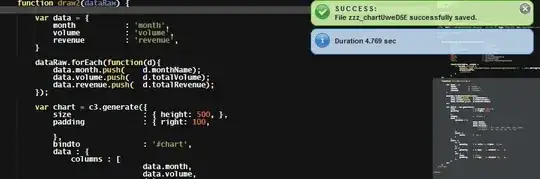
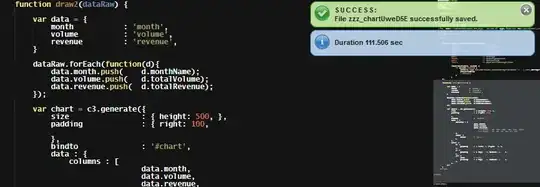
We get: enter image description here

We need: enter image description here

Uwe Heim
  • 28,350
  • 18
  • 115
  • 283
  • Have you reported it to Salesforce? – Michael Gill Mar 23 '15 at 11:09
  • Yes, Case 11765428, but my experience with issues even slightly related to development were very disappointing without Premier Plus support... :-( – Uwe Heim Mar 23 '15 at 11:21
  • 1
    There was an alert on CS14 this morning but it has been resolved (time of impact 0905 - 0929 UTC), hopefully it's better now for you! – Girbot Mar 23 '15 at 11:24
  • They are normally pretty quick to jump on performance issues regardless of premium support. Is there anything on trust.salesforce.com? Also are you sure nothing has changed, sorry have to ask. I'm assuming you don't have another sandbox on a different instance to compare against. – Michael Gill Mar 23 '15 at 11:28
  • @Girbot - We have this since last Friday. With ups and downs, but constantly at a level where normal work is not possible. Alert is more about Database. DB seems fast, only metadata+tooling-api seem slow... – Uwe Heim Mar 23 '15 at 11:28
  • @MichaelGill - no chance on our end. Sure I can compare to other SB instances for similar tasks. – Uwe Heim Mar 23 '15 at 11:32
  • I know it's very frustrating when you haven't changed anything and platform plays up. Fingers cross performance gets back to normal for you quickly. – Michael Gill Mar 23 '15 at 11:56
  • @MichaelGill - no chance to get this reported: "Hi, I am Jasdeep from Salesforce Developer Support and I want to update you that the Developer support is currently available only to our premier customers and premier partners. We apologize for any impact this may be having on you." – Uwe Heim Mar 23 '15 at 17:05
  • 1
    Having the exact same issue on CS17, since a month or so. Saving using the Tooling API is taking forever (metadata seems a little bit faster). Going through the Salesforce UI is a bit faster, but not convenient at all. I do get some Time Limit Exceeded errors when trying to edit some classes or pages thought. Same for unit test, running them all can take up to 4-5 hours. – jpmonette Mar 31 '15 at 10:38
  • Today 2015-06-23, again, we are between 30 and 60 seconds on this CS14. It's not impossible to work... but it requires some patience... – Uwe Heim Jun 23 '15 at 10:12
  • Today 2015-07-28 and yesterday the performance of Metadata API is down again - while ToolingAPI is fast. During the day it was all good, but starting at about 18:45 CEST a simple retrieve of one file takes an eternity > 10 min. Again nothing on trust. – Uwe Heim Jul 28 '15 at 16:50
  • Today 2015-08-04 I'm on CS11 and Metadata API is very slow. – Uwe Heim Aug 04 '15 at 08:27
  • 1
    Today 2015-08-07 I'm on CS9 and the Metadata API is extremely slow for me. Looks like this is a systemic problem for sandboxes. – Caspar Harmer Aug 06 '15 at 23:57
  • Today 2015-11-10 I'm CS81 and Tooling API for saving Apex and Visualforce is extremely slow. Nothing on trust.salesforce.com – Uwe Heim Nov 10 '15 at 11:59
  • Again 2016-07-12 on CS87 it is slow like hell. It was already bad during the last view days but today it's not possible to work on that pod :-( – Uwe Heim Jul 12 '16 at 14:32
  • Today 2016-07-13 it is even worse. No work possible on CS87. – Uwe Heim Jul 13 '16 at 08:05

3 Answers3

1

There is now way to report such issues without Permier Support. Only thing you can do is wait, until performance comes back... Support responded like this:

Hi, I am Jasdeep from Salesforce Developer Support and I want to update you that the Developer support is currently available only to our premier customers and premier partners. We apologize for any impact this may be having on you.

Right now performance came back a few hours ago. But as bottom-line CS14 was unusable for development for several days. No chance of communication. No chance of support. That really sucks - even if the issue is fixed.

Worst thing is, we know it'll come back from time to time...

Uwe Heim
  • 28,350
  • 18
  • 115
  • 283
  • 2
    Did you try the twitter channel? That might make a little more noise.. – Sam Mar 23 '15 at 17:20
  • @theGreatDanton - Yeah, I know... keeping it up for the next time. Since a few hours, CS14 is on speed again. But the way they handle it just isn't all right. – Uwe Heim Mar 23 '15 at 23:30
  • 1
    @theGreatDanton - issue is back, now I used twitter, unfortunately I have only a few followers. Retweet welcome! https://twitter.com/GerhardUweHeim/status/580384811128373248 – Uwe Heim Mar 24 '15 at 15:07
  • reTweeted the issue.. I came across an issue with tooling API just today. When I query workflowAlerts with fullname field in the query I am not able to to retrieve more than 10 records, but if I remove it I get the complete results. Weird issues with Tooling API.. – Sam Mar 24 '15 at 15:11
  • @theGreatDanton - now it's fast again... – Uwe Heim Mar 24 '15 at 21:16
  • 1
    @UweHeim - I feel your pain. I feel strongly that any individual that holds the advanced developer certification should be able to converse directly with a tier 2 or 3 support rep to triage dev support requests. Any request related to performance and not asking for "How do I do this" type of questions should be given the same priority as premier support. The certified professionals are the lifeblood of SF yet get treated like boil on the skin......BTW Been seeing the same issue on various sandboxes CS11 and CS 14 included – Eric Mar 31 '15 at 13:18
1

I'm having the same issue on CS14, and it's taking a good 20 minutes (1000 s) to get a Tooling API response on the Dev Console.

I found an article from about 4 days ago describing a similar issue, https://success.salesforce.com/issues_view?id=a1p300000008XvGAAU, and the article provides a workaround:

Workaround

You need to edit the components on the UI by navigating to Setup | Develop | Apex Classes/Apex Triggers

The UI works for me though I wish I could be using the Dev Console instead.

Scott Pelak
  • 7,514
  • 2
  • 39
  • 72
  • 2
    Thanks Amator, for confirming the issue. Somehow it helps a bit not being alone... It's incredible: yesterday afternoon, it was fast. Now is slow again. No way to work on that sandbox. Using the UI is no substitute for us. We have very complex code an need our own IDE (CodeFusion). This issue makes it impossible to use any IDE (no DeveloperConsole, no MavenMate, no Eclipse, no CodeFusion). That is simply not good enough and Salesforce should at least provide support for that. – Uwe Heim Mar 24 '15 at 14:59
  • this issue come and go. Today we got hours of total unusability - now it's fast again – Uwe Heim Mar 24 '15 at 21:17
1

UPDATE FROM SALESFORCE

this is due to the fact that there was a performance degradation at salesforce instance on which your sandbox is on, wherein Root Cause was that the problem was caused by inefficient requests which caused resource contention for a node in the database tier. To preserve core functionality for our customers on the instance, action was taken to isolate the inefficient requests, allowing resources to become available. As resources became available, normal performance was restored. So our R&D team has got the performance restored no on this instance.

The link you had mentioned on the case (this StackOverflow ticket), I have gone through that and whenever any one has encountered this slow performance issue, there had been a performance issue at salesforce end.

You can check on our site "http://trust.salesforce.com/trust/status/" to check on performance degradations at salesforce end.


Having the exact same issue in CS17 since the beginning of March. I reached out to the Salesforce support about it, and this is what they responded:

Thanks for your update. I understand you are following the best practice. I am afraid but there is no such process to assign more resources on a single Org. Since it is based on Multitenant architecture and resources are shared among multiple Orgs. We have implemented some methodology to prevent Orgs from monopolizing the shared resources.

Once we execute the test class it will go in queued statue and will start execution once resources are available. You may try deleting old test execution histories and compile all classes to see if it makes any difference.

Please let me know if you have any further query or concern.

I do understand the concept of the multi-tenant infrastructure, but we noticed a drastic unexplainable change in performance in the past month. Tooling API takes forever to process request, while Metadata API is a bit faster.

Going through the UI is also a bit faster to process requests (they must be prioritized over API), but it can take a long time to open the Edit page of an Apex class or Visualforce (sometime ending with the following error).

Time limit exceeded

Your request exceeded the time limit for processing.

Click here to return to the previous page.

Same for unit testing - they are being queued for 4hours, but executed in less than 10-20 seconds.

UPDATE: Here's a screenshot of Status - it seems to be only showing performance degradation for the past 4 days, but it lasted for the past month.

Performance degradation on CS17

jpmonette
  • 4,440
  • 8
  • 38
  • 69
  • 1
    yeah, I can only confirm this. The situation is bad, especially if the customer has bought a Sandbox for 5-30% extra cost and then the developers can't work due to infrastructure reasons. – Uwe Heim Mar 31 '15 at 13:30
  • you are not alone: several others has issues in CS17 today, too... not sure how to proceed. I also heard that Premier Support does not help for this issue. You only get a "sorry-email" – Uwe Heim Mar 31 '15 at 14:15
  • @UweHeim I've updated my ticket with Salesforce official response related to the performance degradation. It seems like there was small improvement in CS17. – jpmonette Apr 01 '15 at 14:19
  • 1
    @jpmonette CS17 is again unusable for me today. are you experiencing the same ? – Phil B Apr 02 '15 at 18:39