4

I installed gnuplot on my yosemite system using brew. When I try to plot cos(x) the way I would on ubuntu, I get this:

gnuplot> plot cos(x)
WARNING: Plotting with an 'unknown' terminal.
No output will be generated. Please select a terminal with 'set terminal'.

I also notice that when gnuplot loads, it says Terminal type set to 'unknown'. I would like to load the graphs in a new window, so I tried set terminal xterm, which seems to work at first glance, given the message Terminal type set to 'xterm'. But then I try plotting again, and it produces garbage:
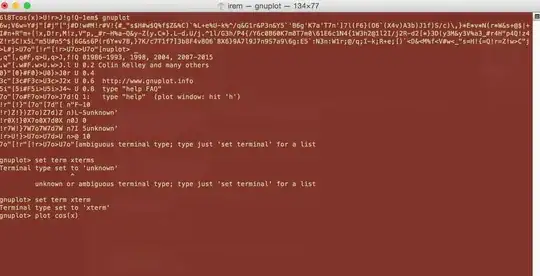
enter image description here

How do I get the terminal to function correctly, as it does on ubuntu?

  • As an aside, if you want to get away from X11 and remembering if you are in xterm or terminal app, just switch gnuplot to use qt - it sets up the terminal properly and one shot install: brew reinstall gnuplot --with-qt – bmike Nov 16 '15 at 21:41

1 Answers1

2

Don't know if you resolved, but seems strange to me you want to plot in the xterm terminal... Perhaps you want to display in the x11 terminal, you'll then find this discussion useful: Can't plot with gnuplot on my Mac

caesarsol
  • 134
  • I am trying x11 but it says unknown or ambiguous terminal type; type just 'set terminal' for a list despite the fact that I have x11 installed on my system. – sodiumnitrate Apr 16 '15 at 14:08
  • 1
    Ok, I followed the steps in the other post. Thanks for pointing out that I was confusing xterm with x11. – sodiumnitrate Apr 16 '15 at 14:27
  • 1
    you're welcome! gnuplot is always a little shady but is a powerful piece of software, never found something as powerful and flexible as it. – caesarsol Apr 16 '15 at 15:05