I'm trying to remove ghost referral traffic in Google Analytics by excluding unknown hostnames coming to my site. This technique is described at: http://www.lunametrics.com/blog/2014/03/11/goodbye-to-exclude-filters-google-analytics/
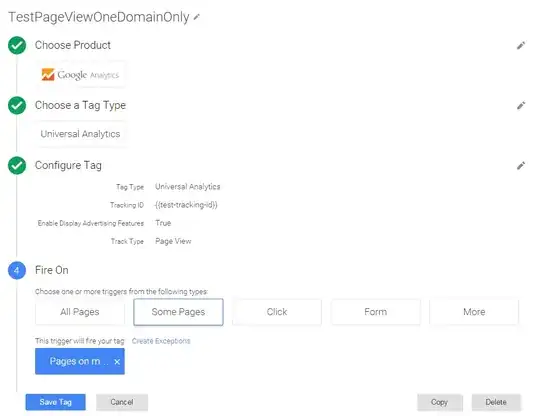
The exclusion is done at Google Tag Manager saving Pageviews only when a custom trigger is fired.
The custom trigger fires only when Page Hostname matches my domain hostname i.e.:
URL: http://www.example.com/page1.html
Page Hostname: www.example.com
(my domain is example.com in this example)
Trigger:

Tag:
But after creating the trigger my Referral Google Analytics report after a few days still looks like this (smudged lines are my actual web site - these lines are ok):

How is it possible that an unknown Hostnames like 4webmasters.org or even (not set) are in the report when all the traffic must match my example.com hostname specified in the trigger?


