I am trying to get the vim-airline up and running.
I have required it via vundle in my ~./vimrc:
Plugin 'bling/vim-airline'
I have installed it and expected my Vim to look like the screenshot on its project page:

Yet it looks like this:
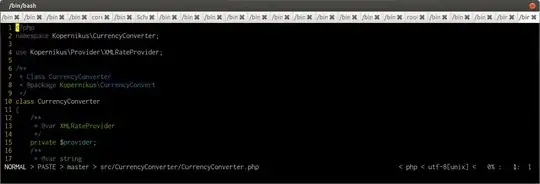
Concerning the fonts, I tried adding:
let g:airline_powerline_fonts = 1
Yet the icons then are just gibberish.
What am I missing?
I just found that for the colors, as described in the FAQ, I can add in my .vimrc:
set t_Co=256
Yet this still leads to line looks distorted:
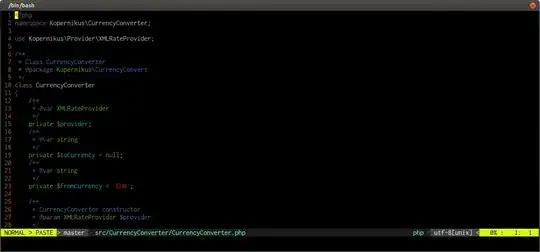
Especially the Git integration about (branch name with the icon). Or the the way the >-"arrow" is displayed. I want that eye-candy, too. Can I even achieve that in Bash? Or would I need a different shell?
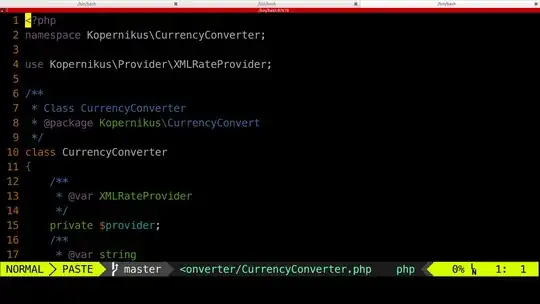
Basically, I want Vim to look like the example screenshot on the plugin page, as I expected it to be the default of the plugin. How can I achieve that?


t_Co. Instead, setTERM=xterm-256colorfrom the shell before starting Vim. – muru Nov 27 '15 at 18:01t_Co? – k0pernikus Nov 27 '15 at 18:02TERM=xterm-256color, on the right, withTERM=xtermand:set t_Co=256. The one on the left looks like it has a grey background, but that's a screenshot artifact - it's actually transparent, and I could see my wallpaper and the browser window behind it. Witht_Co=256, that understanding of the terminal is lost and the background is solid black. Better screenshot: http://i.stack.imgur.com/kMf7c.png – muru Nov 27 '15 at 18:09t_Coto set colors?" – k0pernikus Nov 27 '15 at 18:12