1

This happens with either stock Yosemite terminal, or iterm2. When I exit vim, this is my terminal. As you can see, colors are messed up in my terminal after exiting vim and it doesn't come back until I terminate terminal app (not a pun :P).
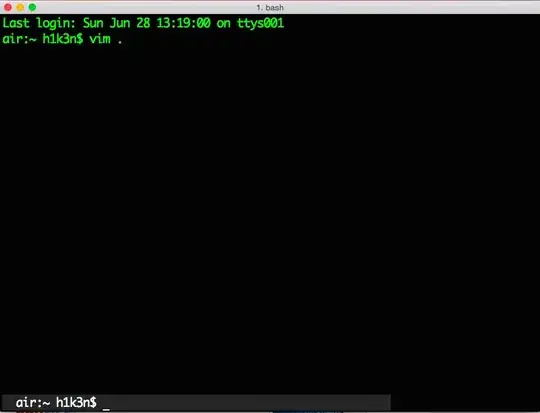
enter image description here

I have to add that I'm a bit new to vim (a couple of months) and reaaaaaally new to Mac OS (less than a month). The same vimrc works well in Linux.

muru
  • 24,838
  • 8
  • 82
  • 143
gemantzu
  • 163
  • 6
  • Does this also happen in you start Vim with no vimrc file (vim -u NONE)? – Martin Tournoij Jun 28 '15 at 11:11
  • Nope... so this is an issue in my vimrc, right? – gemantzu Jun 28 '15 at 12:51
  • 1
    Looks like it :-) try: How do I debug my vimrc file? and post the settings that cause this behaviour. – Martin Tournoij Jun 28 '15 at 13:08
  • it seems that was a bug in the version i had in vim-airline. I followed the posts instructions on how to debug my vimrc, i commented out the plugins and everything worked ok. So i started commenting out one by one each plugin, and when i did so in vim-airline it bugged again. So i found out how to update my plugins (vim +PluginUpdate) and now everything works ok. Thnx @Carpetsmoker. – gemantzu Jun 28 '15 at 13:59

1 Answers1

3

It seems that was a bug in the version of vim-airline I had. Following the posts instructions on how to debug my vimrc, I commented out the plugins and everything worked ok. So I started commenting out one by one each plugin, and when i did so in vim-airline it bugged again. So i found out how to update my plugins (i use Vundle as a plugin manager, so

vim +PluginUpdate 

or

:PluginUpdate 

from inside vim as @Edward reminded me) and now everything works ok. Thnx @Carpetsmoker and @Edward.

So, just a reminder, plugins can have bugs as well, so investigate when in doubt.

muru
  • 24,838
  • 8
  • 82
  • 143
gemantzu
  • 163
  • 6