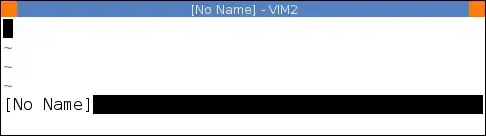
The problem is that many (all?) colorschemes will clear all highlights with highlight clear before setting their own colours. For example from /usr/share/vim/vim74/colors/peachpuff.vim:
" First remove all existing highlighting.
set background=light
hi clear
if exists("syntax_on")
  syntax reset
endif

let colors_name = "peachpuff"

hi Normal guibg=PeachPuff guifg=Black

hi SpecialKey term=bold ctermfg=4 guifg=Blue
" ... Many more highlights follow ...
This also clears the User1..9 groups (which doesn't make a lot of sense, IMHO).
The solution is to put custom User1..9 highlights in the ColorScheme autocmd. From :help ColorScheme:
After loading a color scheme. :colorscheme The pattern is matched against
the colorscheme name. <afile> can be used for the name of the actual file
where this option was set, and <amatch> for the new colorscheme name.
So instead of using a "bare" highlight command, use:
autocmd ColorScheme *
        \ highlight User1 ctermbg=0 ctermfg=10 cterm=bold |
        \ highlight User2 ctermbg=0 ctermfg=9 cterm=bold
If you frequently switch colorschemes, you can even use:
autocmd ColorScheme colorscheme_one_name  highlight User1 ctermbg=0 ctermfg=10 cterm=bold
autocmd ColorScheme another_scheme        highlight User1 ctermbg=0 ctermfg=11 cterm=bold
to get colours matched to specific colorschemes.