$ grep "'" /usr/share/dict/words | wc -l
26226
$ grep -i python /usr/share/dict/words
Python
Python's
python
python's
pythons
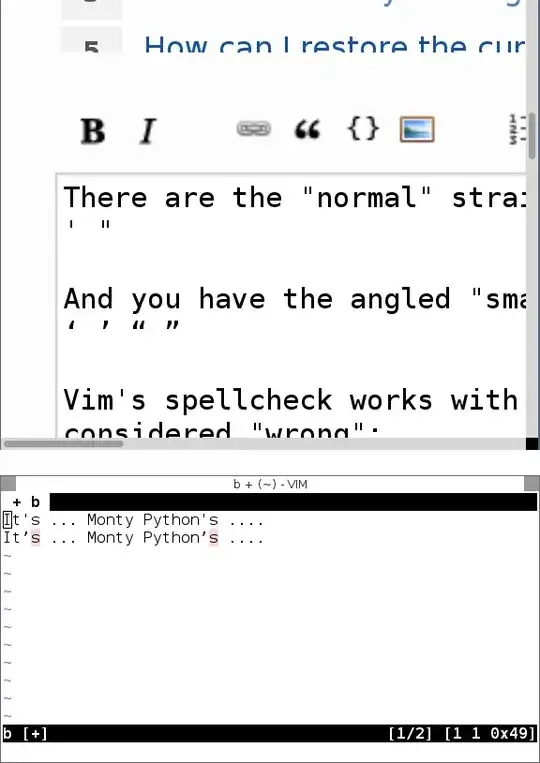
The problem is that all these words with apostrophes are actually in your dictionary file.
So if you're okay with modifying your vim spelling dictionary, then do so:
$ grep "'" /usr/share/dict/words | sed "s/'/’/g" >> ~/.vim/spell/en.utf-8.add
This will
grep to find all words in your system dictionary that contain an apostrophe (');sed to change the straight quotes to smart quotes (that's s/'/’/g, where the first quote is straight and the second is smart); and- append it to your language dictionary (replace with whatever your language is).
You will need to recompile this to a .spl file, which you can do from Vim:
:mkspell! ~/.vim/spell/en.utf-8.add
If you want to use the actual spell files that Vim uses as a starting place (instead of your system dictionary), you can use the :spelldump command.
The output will include all the words Vim uses for the current spelllang, including those already added from the .add file.
Save the result of :spelldump to a file and remove the first two lines (header info), then use the same commands as above.
You may also want to pipe it through uniq as well, to remove duplicate entries.
(No need to sort; the output of :spelldump is already sorted.)


'sas a pattern? Isn't just searching for'correct, asl well? This will miss words that have a'in a different location (such asyou'd,you've, etc.) – Martin Tournoij Feb 05 '15 at 17:44:mkspell!route, you may also want to filter out words that are intended for irrelevant regions. – Aaron Massey Apr 19 '15 at 22:57