Here's a specifically beamerish (not to be confused with Beamish) way to do this. It works by taking advantage of the fact that beamer's modes are not defined from a specified list. Indeed, searching the code then the trans mode is conspicuous by its absence. In reality, trans is simply "not beamer". Similarly handout. So you can define a new mode and the overlay specifications will work matching that mode. The only snag is that the in-frame slide count has a specific match for beamer. This means that a generic specification, say \only<3>{some text} will be viewed as \only<beamer:3>{some text}. So to make the new modes act as beamer and not as trans or article, it's necessary to subvert this test. This means that one needs the Dreaded MakeAtLetter of Bexhill-on-Sea. Moreover, I haven't thoroughly tested this so there may be more situations I haven't considered.
Anyway, here's the code:
\documentclass{beamer}
%\url{http://tex.stackexchange.com/q/66508/86}
\makeatletter
\newcommand{\beamersetmode}[1]{%
  \gdef\beamer@currentmode{#1}%
    \gdef\beamer@@@decodefind##1:##2|{%
      \beamer@ifempty{##2}%
      {\beamer@decodefind #1:##1:}%
      {\beamer@decodefind ##1:##2}}}
\makeatother

\beamersetmode{A}

\begin{document}
\begin{frame}<A:0>
Slide One \only<2>{with overlays}
\end{frame}
\begin{frame}<A:0|B:0>
Slide Two \only<2>{with overlays}
\end{frame}
\begin{frame}
Slide Three \only<2>{with overlays}
\end{frame}
\begin{frame}<B:0>
Slide Four \only<2>{with overlays}
\end{frame}
\begin{frame}<B:0>
Slide Five \only<2>{with overlays}
\end{frame}
\begin{frame}<presentation:0>
Slide Six will never be shown
\end{frame}
\end{document}
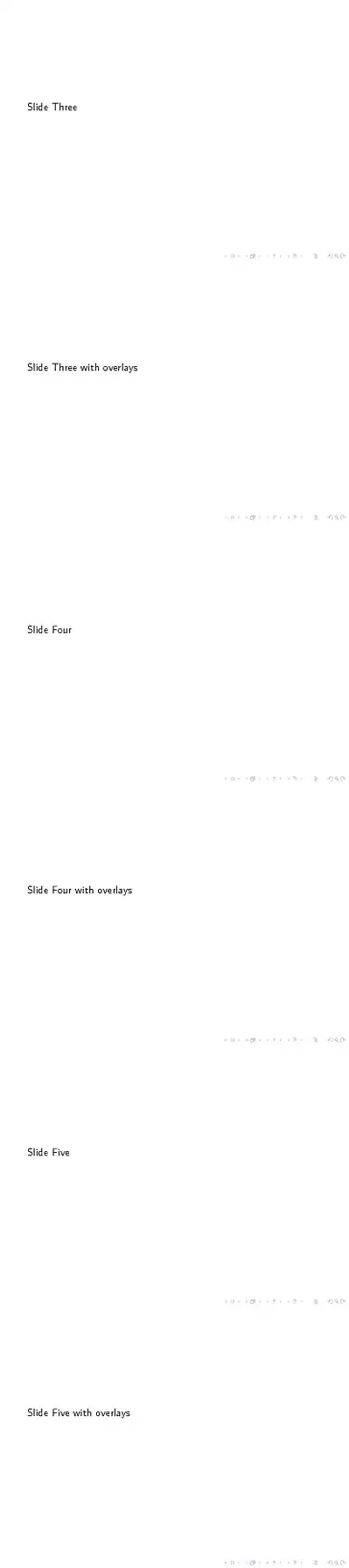
And this produces the following. Change the \beamersetmode to \beamersetmode{B} or omit it altogether to get the other versions.
Note: don't use first and second because second is already used for something to do with having slides on a second screen.


beamer, but thecommentpackage might help you here.:)– Paulo Cereda Aug 09 '12 at 18:15\ifs, orcomment) - haven't tested. The comments in the linked post references the fact of inserting conditionals across environment boundaries. – Werner Aug 09 '12 at 18:41commentpackage worked withbeamer, but my solution is ugly. I'll wait if someone comes up with a better idea than mine.:)– Paulo Cereda Aug 09 '12 at 18:44