- I want to use
extra y ticks in a pgfplots diagram.
- With
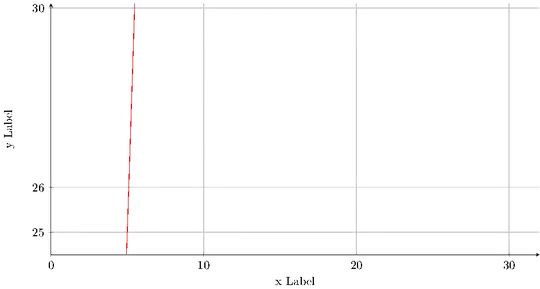
\pgfplotsset{compat=newest} the ylabel is dancing (not watnted).
\documentclass[tikz]{standalone}

\usepackage{pgfplots}
\pgfplotsset{compat=newest} % <-- Causes dancing y label when adding  'extra y ticks'

\pgfplotsset{myDefaultStyle/.style =
    {
    width = 160mm,
    height = 90mm,
    axis x line = bottom,
    axis y line = left,
    ylabel = y Label,
    xlabel = x Label,
    grid = major,
    }}

\begin{document}

% ######### Plot #########
% ########################
\begin{tikzpicture}
    \begin{axis}[
        myDefaultStyle,
        xmin = 0,
        xmax = 32,
        ymin = 24.5,
        ymax = 30.1,
        xtick = {0,10,20,30},
        ytick = {25,26,30},
    ]
    % Plots
    \addplot[domain=0:10,red]{x^2};
    %
    \end{axis}
\end{tikzpicture}

% ######### Plot #########
% ########################
\begin{tikzpicture}
    \begin{axis}[
        myDefaultStyle,
        xmin = 0,
        xmax = 32,
        ymin = 24.5,
        ymax = 30.1,
        xtick = {0,10,20,30},
        ytick = {25,26,30},
        extra y ticks={25.5}, % <-- Added
    ]
    % Plots
    \addplot[domain=0:10,red]{x^2};
    %
    \end{axis}
\end{tikzpicture}

\end{document}
With \pgfplotsset{compat=newest}

Without \pgfplotsset{compat=newest]


pgfplots 1.3 has a new feature which allows to move axis labels tight to tick labels automatically. This is strongly recommended. It requires \pgfplotsset{compat=1.3} or higher. Since this affects the spacing, it is not enabled be default.? – Dr. Manuel Kuehner Jun 15 '17 at 17:20compat=newest)? – Dr. Manuel Kuehner Jun 15 '17 at 17:22\pgfplotsset{compat=1.14,compat/labels=default}– Torbjørn T. Jun 15 '17 at 17:29