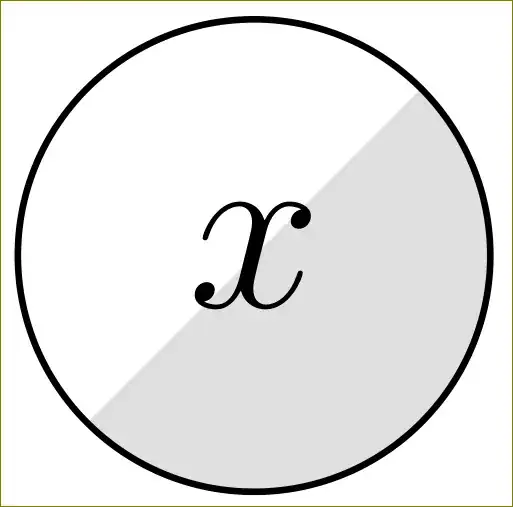
How do I make partially shaded nodes with tikz without hardcoding coordinates?
A plain MWE is as follows:
\documentclass{article}
\usepackage{tikz}
\begin{document}
\begin{tikzpicture}[mynode/.style={circle,draw=black,minimum size=10mm}]

    \filldraw[fill=gray!25] (-3.5mm,-3.5mm) arc [start angle=225, end angle=405, radius=5mm];
    \node at (0,0) [mynode] {\Large $x$};

\end{tikzpicture}
\end{document}
\end{tikzpicture}
This works, but I had to compute the coordinates of the shaded arc, and is very tedious when I have to work with a large number of nodes. Is there a way to do this automatically?
I have other code that uses tikz-bayesnet, so if the solution can build on top of that it would be even better.



\usetikzlibrary{backgrounds}and then\begin{scope}[on background layer] \filldraw[fill=gray!25] (a.225) arc [start angle=225, end angle=405, radius=5mm]; \end{scope}. Will that do? – May 01 '15 at 05:43\fillinstead of\filldraw– May 01 '15 at 07:41