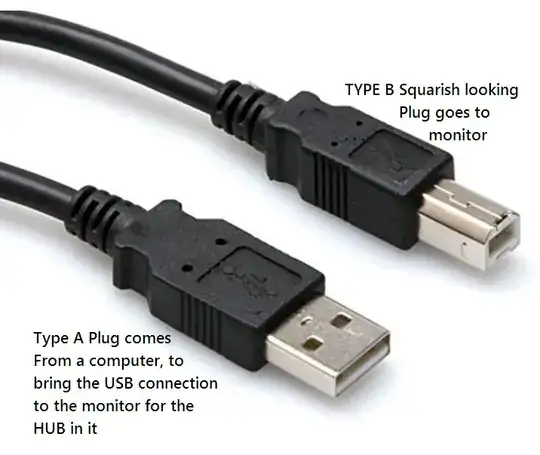
USB ports carry both power and data to a device. There are two kinds of USB ports - upstream and downstream. An upstream USB port receives power (and data) and a downstream USB port provides power (and data) to devices connected to it.
USB ports in monitors allow you to connect additional USB devices (like keyboard, mouse, pen drive etc.) to your computer. But how can your computer know when you connect something to your monitor?
The computer provides video signals to the monitor through VGA or HDMI ports and cables. But these can't tell the computer when you connect a USB device to the monitor.
To use the USB ports on the monitor, you usually have to first connect a USB cable from your computer to the upstream USB port of the monitor. When you do this, the monitor will activate the other downstream USB ports and you can connect USB devices to use it with your computer.
In many newer monitors, the upstream USB port on the monitor is usually a USB-C port.
Thus, today, USB-C and Thunderbolt ports allow you to use a single cable between your computer and monitor to provide video signal to the monitor and also use USB ports on the monitor.
Thunderbolt ports, like USB, also carry both power and data. So if it is used to connect the computer with the Thunderbolt port on the monitor, then there is no need to connect the computer with the upstream USB port of your monitor with a separate USB cable. Using Thunderbolt port on a monitor will automatically activate the downstream USB port(s) on most monitors and the computer can use the devices connected to the monitor, through the Thunderbolt connection.