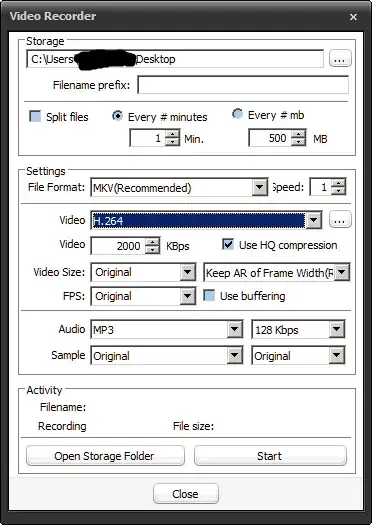
How do I capture an area or the full screen by using Daum PotPlayer?
The steps I tried:
- Open the Device Settings dialog box using either "Right Click Menu > Open > Device Settings..." or by using the ALT+D shortcut.
- Set the audio input device to the default PC speaker device.
- Via the "Show Capture1 Area" button in the Device Settings dialog box or by pressing the CTRL+S shortcut, open the recording area selection rectangle.
- Close the Device Settings dialog box if it is still open and set the area you want to record by moving and resizing rectangle, or by assigning an existing window to it.
After doing these steps, I see the portion of the screen inside the rectangle on the PotPlayer window, but it doesn't record anything to my harddisk. What am I missing here? How do I start recording the screen content inside the rectangle to my hard drive in video format?