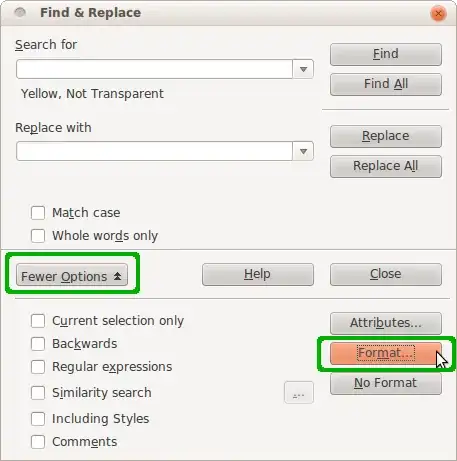
I have a LibreOffice Writer document that has undergone a process of editing, and sections of the text that needed to be rewritten were highlighted in yellow. As I fixed those sections, I removed the yellow highlight.
Now, I want to make sure there are no remaining areas of highlighted text that have not been fixed or possibly the highlight was not removed.
It's many hundreds of pages, so a manual scan is unfeasible. Also, it might be that one space or one character got accidentally left highlighted, and I want to ensure I've accounted for them all.
How can I search the document to find all instances where text has been highlighted?