I've seen a screenshot of zsh configured to have prompt with a different color and background, and it looks like a very usable tweak:
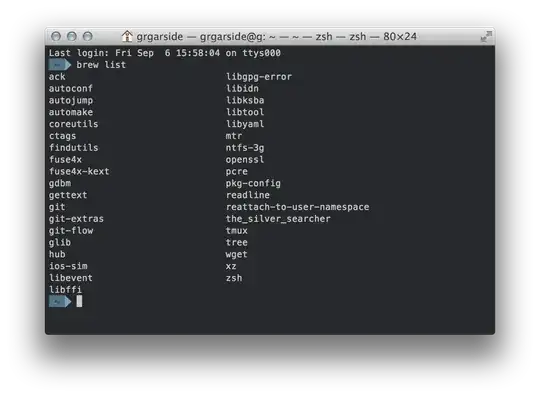
I've seen a screenshot of zsh configured to have prompt with a different color and background, and it looks like a very usable tweak:

Sammyg was correct that set_color is what you're looking for. The trick is that a single call to set_color doesn't color a specified block of text, but sets the color that all subsequent text will be printed. The -b flag sets the background color. Here's a simple function which will give you a similar effect to that zsh prompt (put it in your fish/functions directory):
function fish_prompt
    set -l textcol  white
    set -l bgcol    blue
    set -l arrowcol green
    set_color $textcol -b $bgcol
    echo -n " "(basename $PWD)" "
    set_color $arrowcol -b normal
    echo -n "⮀ "
end
Note that you don't need to explicitly reset the colors after drawing the prompt, fish will do that automatically.

