3

I want to remove leading and trailing tags from country names.
In my example those tags are <li> and <a>.

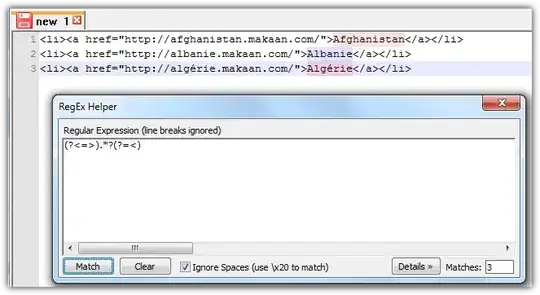
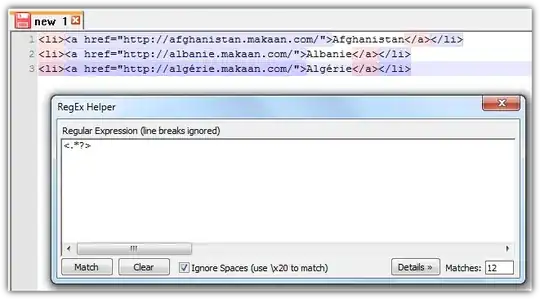
<li><a href="http://afghanistan.makaan.com/">Afghanistan</a></li>
<li><a href="http://albanie.makaan.com/">Albanie</a></li>
<li><a href="http://algérie.makaan.com/">Algérie</a></li>

Result should be:

Afghanistan
Albanie
Algérie

In Microsoft Word, I want to use the Find and Replace feature to accomplish it with regular expression.

How can I use regular expressions in MS Word?

nixda
  • 27,268
  • 1
    your question is really not very clear. Are you saying you are starting with a word document and you want to use REG's to manipulate the text? – phatmanace Nov 30 '13 at 09:20
  • I want to create a database of Country names. So i copied(view source code) country names with leading and trailing
  • & tags in this format :
  • Afghanistan
  • . Now i am looking for any technique to remove these leading and trailing tags from Country names. And i've choosen to accomplish it using ws-word's Find and Replace feature. – user2791156 Nov 30 '13 at 09:33
  • Define "database" - is your final output in word, or a 'real' database like postgres or mysql? – phatmanace Nov 30 '13 at 09:36
  • phatmanace, Thanks for your response. I want to use these country names in SQL Database and to create javaScript's country database(Afghanistan|Albanie|Algérie). – user2791156 Nov 30 '13 at 09:53
  • added another bit of my answer, given the latest information. – phatmanace Nov 30 '13 at 12:03
  • @user2791156 I did a major edit on your question. I hope I haven't misinterpreted anything. Also, is VBA a valid solution? – nixda Dec 02 '13 at 20:51
  • This question could be a lot better if it came up with something that actually requires regex. Removing tags <li> and <a> themselves would be easily doable with simple replace, unless you want to remove the hyperlink in the href part as well. – Vlasec Aug 07 '19 at 18:04