The application I want to start is MongoDB. If I would start it normally, it looks like this:
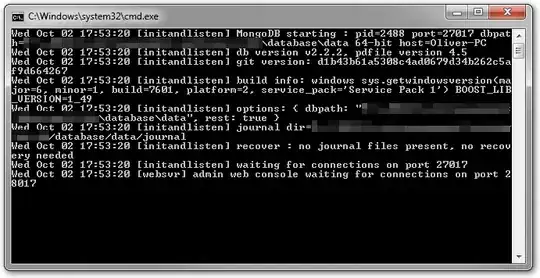
I don't like the amount of line breaks and I have a lot of screen space, so I would like to utilize said space to get rid of the line breaks.
I can change the size of the console window with MODE, so I wrote a batch file like this:
@ECHO OFF
MODE con:cols=140 lines=70
%~dp0mongodb\bin\mongod --dbpath %~dp0data --rest
So far, so good. When I start this batch file, I get a larger window, as desired.
But when I now press Ctrl+C to exit MongoDB, I get the annoying prompt:
Terminate batch job (Y/N)?
Which is useless, because the command I just exited out of was the last command in the batch job anyway and no matter what I answer, the result is the same.
So, how can I get a larger console window for the application without having that prompt when I hit Ctrl+C?

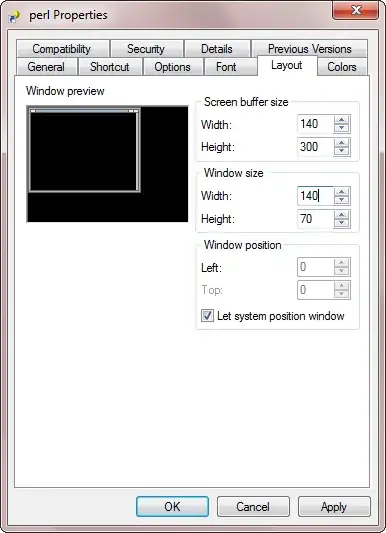


mongod.exeis not fixed. It will change depending on the deployment of the application. Which is why I was aiming for a solution through the console directly. When I put a relative path in the target or working directory fields for a shortcut, it won't accept them :( – Oliver Salzburg Oct 03 '13 at 18:14start cmd /kand passes an additional parameter or sets an environment variable. The second instance then changes console window size and startsmongod.exe. – Alexey Ivanov Oct 03 '13 at 18:29Terminate batch job (Y/N)?prompt :\ I actually just finished implementing a wrapper application to solve this for me though. – Oliver Salzburg Oct 03 '13 at 18:48