Maximus' answer (both options are correct). I'll quickly jot down a few details (adding this as an answer to use snapshots).
Option 1 : If you use mintty or another terminal emulator
In Settings -> 'Keys & Macro', add a keyboard snapshot for 'Set focus to ConEmu' like so:

Once you do this, you should be able to use this shortcut to focus Conemu and then use the shortcut to re-order.
For example, my shortcuts are setup as in the snapshot:
'Set focus to ConEmu' : WinAltShift1
'Move active tab leftward' : WinAltShiftLeft
So if I have to move a mintty console left/right I use the above in sequence.
This is a generic way of re-orderding tabs if you use ConEmu to run GUI applications.
Option 2 (Simpler, Cygwin Specific): Directly use bash.exe/sh.exe
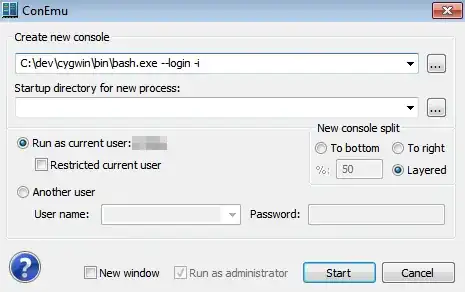
If I start a new console by directly using the bash or sh.exe, then I can re-order without any issues (there is not need to focus the Conemu window first)
For instance:
C:\dev\cygwin\bin\bash.exe --login -i