Microsoft Security Essentials has decided that a vbs script I wrote is a vbs/genmalone virus. How can I exclude that file from MSE without excluding everything in its folder or excluding all vbs files?
Asked
Active
Viewed 1,754 times

1 Answers
3
Open the Microsoft Security Essentials application (Start > Search for "Microsoft Security Essentials"). Next, switch to the Settings tab, locate Excluded files and locations, and select it.
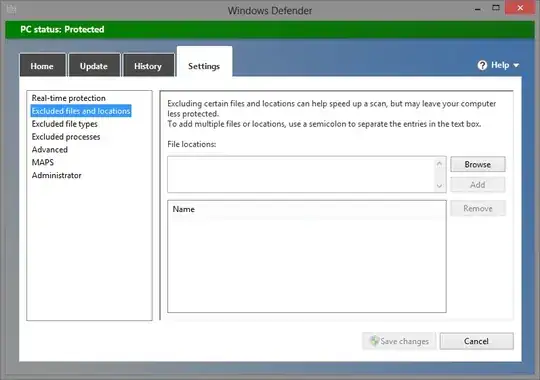
Browse to the files/folders you wish to exclude and save the changes.

Journeyman Geek
- 129,178

Rain
- 2,358