How do I add a menu item to my context menu to open up powershell (or any other arbitary application) when I right-click inside Windows Explorer?
I found tons of links on how to add menu items when doing this: (selecting a folder; example link)

...but couldn't find any instructions on how to add menu items when doing this: (not selecting a folder or file)
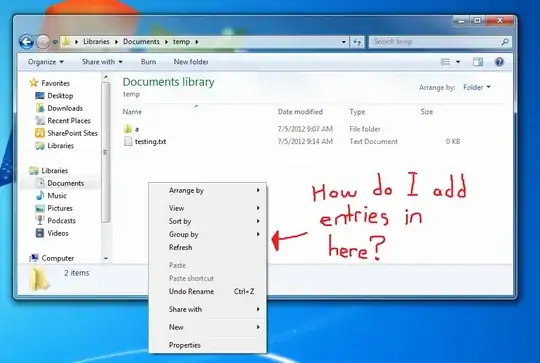
I did find this and tried adding powershell to HKEY_CLASSES_ROOT\Directory\Background\shell\, (loosely based on the instructions I found and linked above) but it didn't work for me.
I'm running Windows 7, by the way. Also, I'm currently interested in adding only PowerShell, but I'd prefer a general solution I can apply to add any program to the context menu.


DirectoryinHKEY_CLASSES_ROOT\Directory\BackgroundwithLibraryFolder(i.e.:[HKEY_CLASSES_ROOT\LibraryFolder\Background\shell\Powershell]and[HKEY_CLASSES_ROOT\LibraryFolder\Background\shell\Powershell\command]). The rest of the process is the same. – Alex Essilfie Dec 12 '15 at 07:30Positionvalue! I've been editing the registry for years and never come across it. How did you come across it, and do you know of any resources that list all similar possible values for context menu-related? Would really appreciate it. – Hashim Aziz Aug 20 '17 at 23:50