OOo Writer has different categories of styles, so the first step is to distinguish between them. Here's an overview over the different categories (from OOo docs):
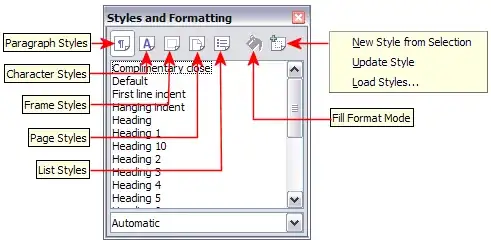
Make sure you're working with Paragraph Styles if you want to format cells: The cell formatting depends on the Paragraph style of its content
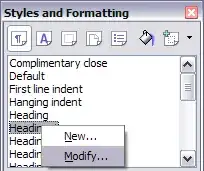
If you've created a new style as you've described, make sure that it has the desired style definitions. You can access (and modify) them using the "Modify..." entry from the style's context menu (again, OOo docs):
using the paragraph style's border and background settings, you can modify table cells, too. If it doesn't work for you:
- check if the paragraph style has the proper settings;
- reset the cell style to the paragraph style defaults using Menu "Format" -> "Default Formatting";
- Select the cell or its text and apply the paragraph style again.
This works at least in OOo 3.2 and LibreOffice 3.5.4.2.


