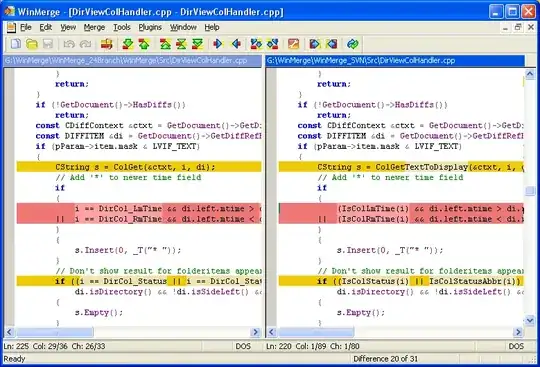
I would like to post-process diff output and then pass the results to a graphical viewer, such as kdiff3 or xxdiff. If possible, I would like to be able to highlight in-line differences using different colors.
Asked
Active
Viewed 4,274 times
10

-
1I don't think I fully understand what you're trying to do but I occasionally use a tool called meld when I want a little more visual flair to my diffs. – lostriebo May 01 '12 at 17:43
-
linux or windows? – Shevek May 31 '12 at 12:49
3 Answers
4

jftuga
- 3,237
-
+1 I love this software. But since the OP is using diff he's probably on linux. – gsgx May 31 '12 at 13:17
2
Perhaps this is not what you're looking for exactly, but you can do this in using vim:
vimdiff file1 file2 file3

Waldheri
- 191
-
a command line solution: https://stackoverflow.com/questions/8800578/how-to-colorize-diff-on-the-command-line – XoXo Sep 27 '19 at 18:39
0
For highlighting, try colordiff or highlight, with the --syntax=diff argument; however, you don't need those with a graphical diff viewer as those have their own highlighters, so you should be able to just use a graphical diff viewer normally. The aforementioned [meld][http://meldmerge.org/] is one such tool, and you apparently already know about kdiff3.
If you're diffing non-files (e.g. <(command args...) subshell FIFOs in bash), all you need to do is redirect the non-files' content into files and run the graphical tool on that.

mmirate
- 211