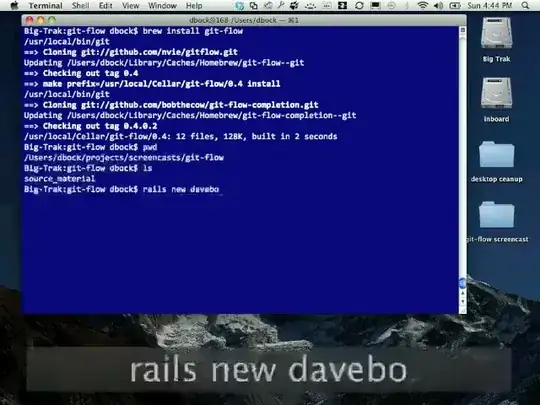
Just as the capture shows, when you type something using the keyboard, a big label appears at the bottom of the screen showing the keys you typed.
I use Windows & Linux, so I just want to know if there is a similar software to do that?
Just as the capture shows, when you type something using the keyboard, a big label appears at the bottom of the screen showing the keys you typed.
I use Windows & Linux, so I just want to know if there is a similar software to do that?
On Windows there is Carnac the Magnificent.
A keyboard logging and presentation utility for presentations, screencasts, and to help you become a better keyboard user.
Install via Chocolatey:
choco install carnac
Or Scoop:
scoop install carnac
Source on GitHub:

There is Key Jedi
Key Jedi allows learning and training to use keyboard shortcuts. It can be used in presentations, screencasts and videos, as well as when working with someone else on the same machine to teach new shortcuts. It shows a visual list of shortcuts as you type them, no matter what application you work in. It is free, simple and quick to use.
Emphasis mine


