On Mac OS X how can I see how much memory is being used by what programs?
Asked
Active
Viewed 2,178 times
9

-
related: http://superuser.com/questions/43157/see-all-information-about-all-processes-daemons-etc-running-on-mac-os-x – cregox Apr 13 '11 at 15:57
2 Answers
14
You can use the Activity Monitor application. It is located in /Applications/Utilities/Activity Monitor.app. And here is a screenshot with the columns for memory usage highlighted: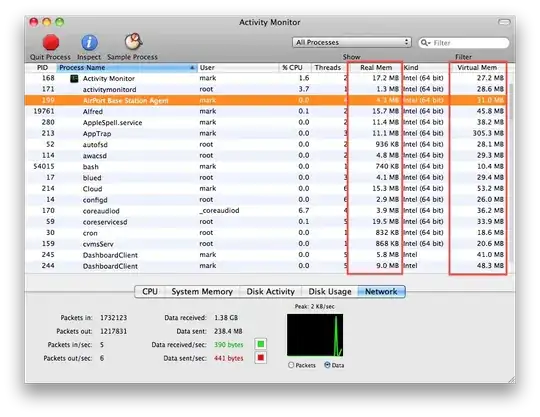

Wuffers
- 19,241
-
2+1 - short, sweet, and correct. Including a screenshot might enhance your answer though! – nhinkle Jan 28 '11 at 05:59
-
-
Thanks for suggesting to add the 'Virtual Mem' column. Could you add a short explanation of the differences between the two? – benregn Jul 30 '13 at 14:48
0
MacOS is a UNIX. Thus, it has lots of standard unix tools, in your case, the top program, which you can execute in a terminal.

loxs
- 199