I have many fonts installed and VLC's font cache rebuilding takes several minutes.
What is it for? How can I disable it?
I have many fonts installed and VLC's font cache rebuilding takes several minutes.
What is it for? How can I disable it?

Found this after some digging in the VLC forums. (image by me)
Building font cache pop-up
Solution:
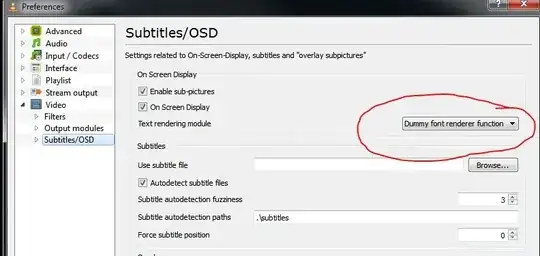
You must set your VLC PLayer preferences to "All"

I think you are left with two options:
Recompile the program configured with --disable-fontconfig, or modify the source code.
Trim down your fonts folder, I don't think you really need all 1500+ there all the time.
You are probably using less than 33% of them, start by killing the fonts that take the most size...

I suppose you are on Windows 7?
From disable font cache? :
Right click on the vlc.exe and select Properties.
Click the Compatibility tab and check the box for "Run this program in compatibility mode for", then select "Vista Service Pack 1".I just did this on Windows 7 and not only does the font cache loading thing not come up, but VLC opens instantly instead of having that couple of seconds delay.
If this doesn't work, I would suggest to totally uninstall VLC using Revo Uninstaller Freeware, ensure that the installation folder was really deleted, then reinstall. I must remark that I have tried VLC under a Win7 VM, and it had an immediate startup time.
EDIT
The discussion at Rebuilding Font Cache problem in new VLC seems to indicate that this is a problem of the latest VLC version, and that reverting to version 1.0.5 fixes it.
I want to clarify that this is not actually an error, but is a feature by design (see the portable apps link above). Every time you install a font, you can expect this to happen. To prevent this from happening in newer versions of VLC, you would actually need to recompile the software/find a recompiled version of the software (again, see link).


I guess you mean "Front Cache". I got the same message since version 1.1.0. I found a solution where you need to delete the cache file in the directory %appdata%/vlc/. That worked for me. The name of the file is something cryptic. Mine was something like d031bbba323fd9e5b47e0ee5a0353f11-i686.cache-3
If the problem returns you also can delete the vlc-cache-gen.exe in the Programm Files/VLC folder. VLC will never again generate the cache. I found this suggestion at the same source like the other one above. But I don´t know if that will cause some other problems because I didn´t try deleting the vlc-cache-gen.exe.
Source of solution (german forum): Chip.de - VLC Media player


