0

I run a SFTP Server (openSSH) on a HP Microserver G7 (CentOS 8) listening on 0.0.0.0 port 22. I can access the server from other devices on the SAME network (local network), but I can't access it from another network (WLAN/internet).

So I accessed my modem/router (an ZTE H108NS) and went to Advanced Setup -> NAT -> Virtual Server and added a port forwarded service for the SFTP Server as shown in the screenshot:
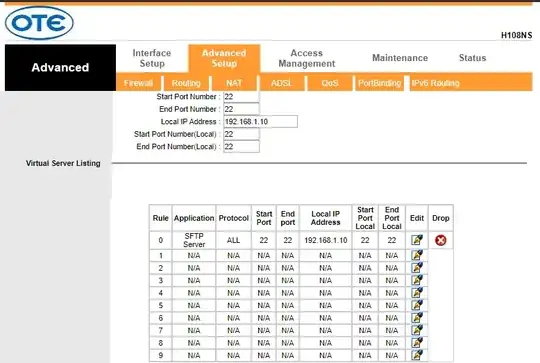
screenshot

I use my public IP and port 22 to my SFTP client to connect to my server but I can't. Connection is timed out.

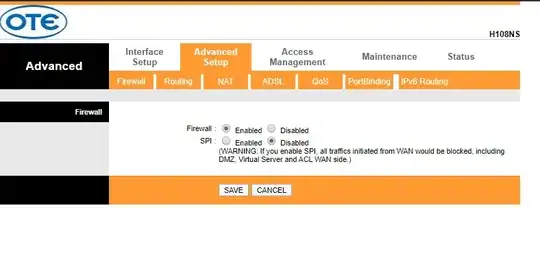
The router's firewall is enabled, but as I know it doesn't matter when I use port forwarding. Am I right? Does SSH protocol also needs port tunneling?

Here is some of my router settings that may be useful to you:
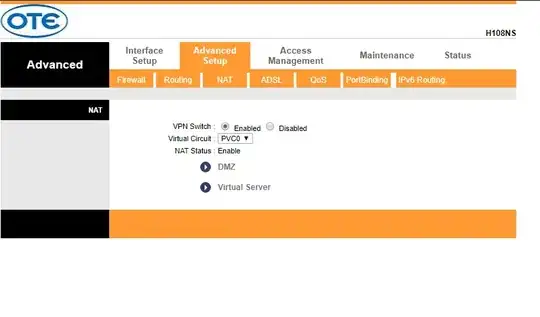
screenshot1 screenshot2 screenshot3

MMM
  • 2,778
  • Are you connecting from outside, or are you connecting from within your own LAN? – u1686_grawity Feb 12 '20 at 14:07
  • I tried both (from another pc in the same network, and from my mobile phone with 4G). – BrainTrance Feb 12 '20 at 14:13
  • Some routers accumulate changes to their config, keep them pending and apply them all at once after you click some global "apply" button. In some cases this global "apply" may simply restart the router with the new config. Make sure you don't need (or already made) this step. In case of any doubt restart the router, confirm its configuration after restart is what you wanted, then test SFTP. – Kamil Maciorowski Feb 12 '20 at 14:47
  • Other things to check: (1) A firewall in your CentOS may be configured to accept incoming connections from your LAN only. (2) Your ISP may block incoming connections to some ports. In this case try to froward some "random" port (e.g. 9922) to 22. (3) You may be behind a Carrier-Grade NAT. Read this. – Kamil Maciorowski Feb 12 '20 at 14:55
  • According to the link you gave me it seems that my ISP indeed uses CGN. The IP address shown in whatsmyip is different from the WAN IP address in my router. What am I going to do now? – BrainTrance Feb 12 '20 at 17:54
  • Possibilities: (1) The ISP lets you have (or hire) a public IP address. Ask them. (2) The ISP forwards one or more ports to you. Ask them. (3) You enable IPv6 on the router and the server; and if ISP supports IPv6 (ask them) then your server will be reachable via IPv6. (4) You change the ISP. (5) You use an external server that allows you to forward a port to your server behind the CGN (e.g. with SSH remote port forwarding). – Kamil Maciorowski Feb 12 '20 at 21:03
  • Ok I will talk to my ISP, thank you for your time and suggestions. – BrainTrance Feb 12 '20 at 22:47

1 Answers1

-1

i know this post is a year old but you have to disable otenet advanced firewall by logging into https://ps.otenet.gr/active/ServiceActivation/csLoginAuthentication.jsp and disable the advanced firewall ! , to get your username and password can be processed online without a phone call !

  • 1
    Welcome to Superuser. It looks like this answer is specific to a single internet service provider (Otenet). As far as I am aware, there is no indication that the OP uses this internet service provider. – Joseph Feb 22 '21 at 10:23