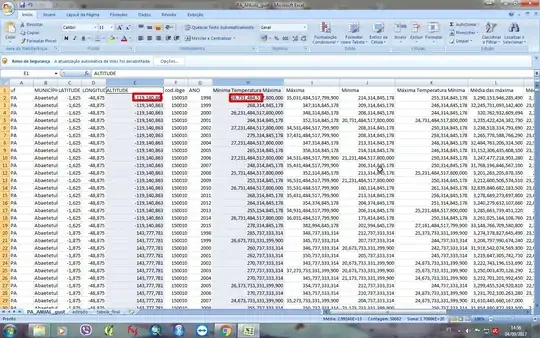
I'm working with climatic data from a bunch of counties around the country. The data is originally on the .csv format, and when I open it, I get a different result than my co-workers. Apparently my Excel isn't recognizing properly where the decimal separator should be put and is making an odd conversion (he transforms 123,456789 (<-hundreds) into 123,456,789 (<- millions). Like I said before, my co-workers didn't have this problem, which leads me to think it's not a file related, but software-configuration related. I tried changing the format of the cell, the decimal separators (under excel options) and the tabulation options without success. I'll attach two links: the first shows the data as it should be displayed and the other one is how i'm seeing it.
How I should be seeing it

How excel is importing my file:


Region and language » Formats » Advancedand compare them to your co-worker – nixda Sep 04 '17 at 19:44Excel Options » Advanced » Use system separators: What is it set? (path to this option can vary between Excel versions) – nixda Sep 07 '17 at 00:57thousandsseparator, or you have a conflict between the thousands and decimal separators. It could be in ExcelOptions Advanced Editing; it could be in thetext import wizard stage 3 Advanced; it could be in yourWindows Regional Settings(where it is called the digit grouping symbol) forNumbers, or theWRSforCurrency. They ALL should agree. – Ron Rosenfeld Sep 09 '17 at 01:00