I am having difficulty manually debugging my code. Which editors support debugging PHP code, and how do I use them?
Asked
Active
Viewed 1,784 times
2
-
@BoltClock There are some pretty good answers down there, so I submitted an edit to the question to possibly make it higher quality. Please have a look at my edit and if you think it looks good, consider re-opening the question. Thanks. – Jun 17 '12 at 02:05
5 Answers
3
I use Eclipse PDT as IDE, and it supports debugging (for both web-pages and command-line scripts), using the Xdebug extension -- and Zend Debugger, should I add, even if I have never used it.
There are tutorials available on the net explaining how to setup both of those to get the debugger working. For instance, you might want to read :
- How To Setup a Free PHP Debugger using Eclipse PDT + XDebug
- Setting up Eclipse to Debug Drupal with XDebug (unfortunatly, the screenshots are missing)
- Or (in french, but with screenshots ; so, might be helpful even if not easy to understand) :
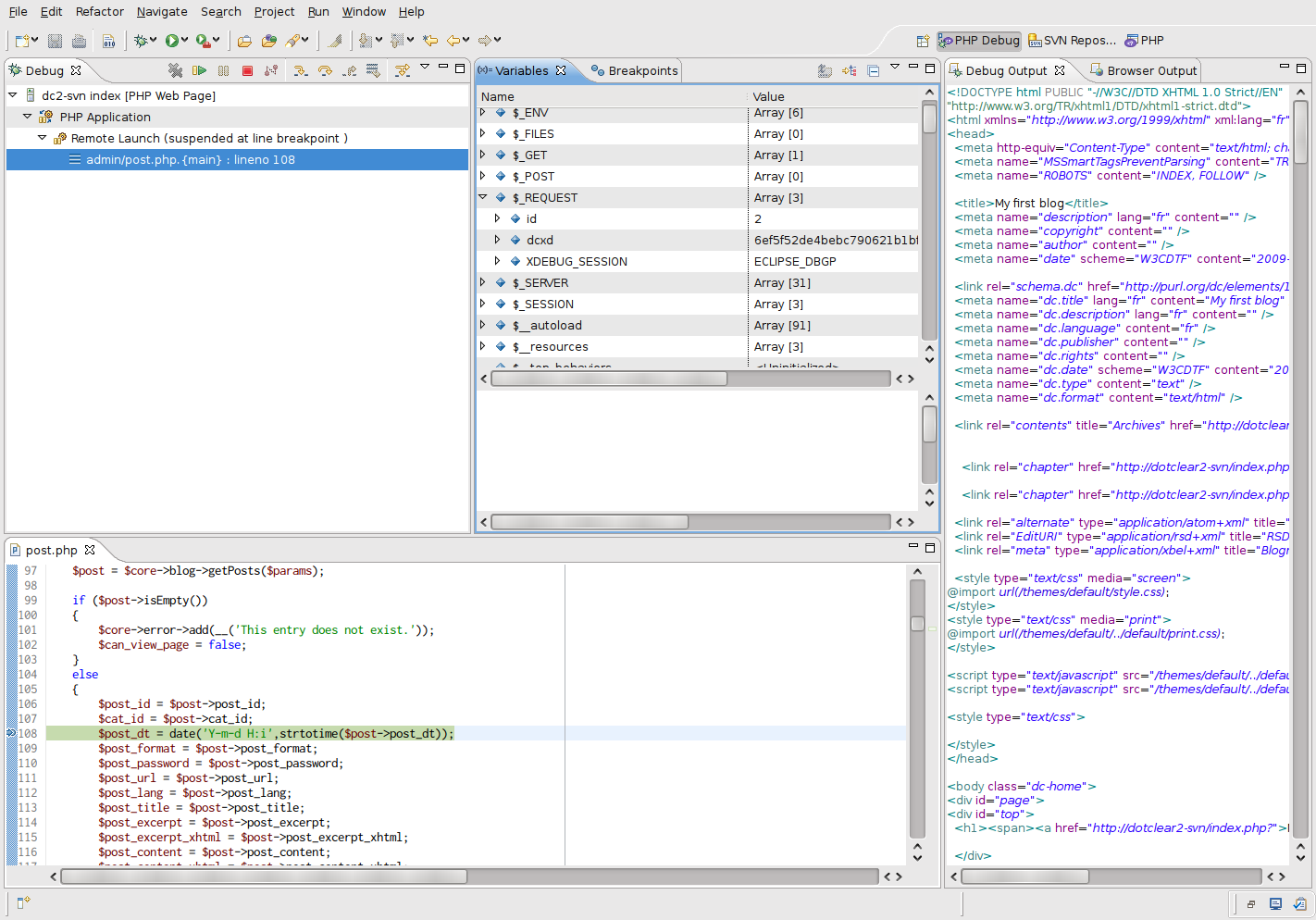
And here is a screenshot of what it can look like (here, I've set a breakpoint somewhere is the admin section of Dotclear) :
(source: pascal-martin.fr)

I've used Eclipse PDT + Xdebug successfully on several projects, based on several Frameworks -- the last in date being a project based on Drupal.

Glorfindel
- 20,880
- 13
- 75
- 99

Pascal MARTIN
- 385,748
- 76
- 642
- 654
-
Backing you up 100% on Eclipse PDT. Best cross-platform editor available, in my opinion anyway. – BenTheDesigner Jan 17 '10 at 22:04
1
Netbeans, along with many others have XDebug Support.

Community
- 1
- 1

Tyler Carter
- 59,289
- 20
- 126
- 148
1
Most PHP IDEs have integrated support for some debugger or the other.
Maybe these questions prove helpful:

1
Notepad++ has a DBGP plugin that works just fine with Xdebug. Couldn't live without.

djn
- 3,954
- 21
- 21
1
Netbeans is free, cross-platform and compatible with X-Debug.
Here's instructions on how to configure them: http://wiki.netbeans.org/HowToConfigureXDebug
Also, for paid IDEs, I've enjoyed using PHPDesigner in the past. I also hear PHPNuke is very good. All support X-Debug.

Chuck Le Butt
- 45,923
- 58
- 187
- 280