6

I've got a Perl-based Selenium instance running on my Win7 workstation. When I fire up a test script, I get an error "Lock file still present!"

Caused by org.openqa.selenium.server.browserlaunchers.FirefoxChromeLauncher$FileLockRemainedException: Lock file still present! C:\Users\ME\AppData\Local\Temp\customProfileDir557f5502ab184789aed95c3c1031feff\parent.lock
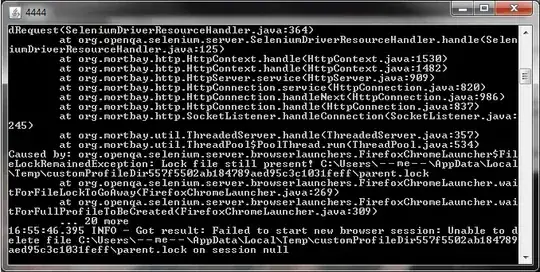
enter image description here

So far, I have:

  • rebooted the workstation
  • manually removed the customProfileDir* directory and all of its contents
  • closed Firefox
  • verified that I'm already using a .jar archive with 3.6 re this blog

How can I resolve this?

Glorfindel
  • 314
  • 1
  • 6
  • 14
KatieK
  • 851
  • 1
  • 10
  • 10

2 Answers2

2

First of all... Are you using a Grid? This might be helpful: http://selenium-grid.seleniumhq.org/faq.html - Look for the error message Lock file. You will find a probable answer there.

Also, try a tool which detects locked files and what they are locked by.

Also... Your problem is a known one: http://jira.openqa.org/browse/SRC-507

Maybe you should try updating?

Hope I could help a little. :)

Good luck!

Hannibal
  • 1,018
  • 9
  • 15
1

Are you sure that the Firefox process itself is killed? Sometimes, closing Firefox isn't enough, you will have to kill the process manually via the task manager. Also, make sure you are using the latest version of Selenium RC. This is what I could find:

"Here is my log on this error: … java Caused by: org.seleniumhq.selenium.server.browserlaunchers.FirefoxChromeLauncher$FileLockRemainedException: Lock file still present! C:\DOKUME1\Semadou\LOKALE1\Temp\customProfileDir9d4a3879bb7d4ca5b75dbbb488ec30b1\parent.lock

Sometimes Selenium Remote Control does not stop Firefox properly on Windows and things get very messy (leaving lock files behind). This does happen when you Ctrl-C while running the test suite for instance.

If you encounter this problem, I would advise you to:

Kill all running Firefox instances and make sure that there is no Firefox process in the task manager (or even better reboot) Delete all the directories: C:\DOCUME1\\LOCALS1\Temp\customProfileDir* While you are at it cleanup C:\DOCUME1\\LOCALS1\Temp as much as possible Run your tests or the demo again

Homewrecker
  • 311
  • 2
  • 7
  • I'm pretty sure that rebooting the workstation also killed the Firefox instance. ;) – KatieK May 04 '11 at 16:05
  • And do you get this error at the first run or only after one or more runs. I am asking this because, as stated above, it could be that the firefox process isn't killed correctly by Selenium itself. – Homewrecker May 05 '11 at 09:03
  • After a few successful executions, I now get this error the every time I run Selenium, even the first time the computer comes up. – KatieK May 05 '11 at 17:21