7

For adding an app, that has Search query permission, to a site collection as site owner I get the following message:
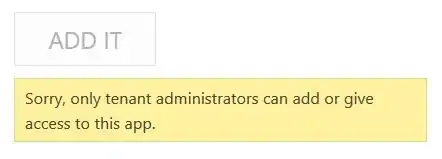
enter image description here

Well, Search works on tenant level, so to add the app to a site collection I need to do that as tenant admin. I understand that. But if I deploy the app to the app catalog I think that should be sufficient to allow the site administrators install the app. Unfortunately this did not seem to be so. So my question is, is there a workaround to fix this issue in SharePoint Online till Microsoft comes with a solution? In SharePoint On Premise someone suggested this workaround: SharePoint 2013 Apps - Tenant Admin Bug und Workaround

Ronak Patel
  • 3,261
  • 3
  • 23
  • 45
mbrb
  • 279
  • 1
  • 3
  • 6

4 Answers4

0

Is this your own Application? Than you could check your webmanifest. This is wrong sometimes.

Appmanifest => Permissions => SiteCollection => Set to "Full Controll"

Robert Lindgren
  • 24,520
  • 12
  • 53
  • 79
Dave
  • 617
  • 1
  • 7
  • 22
0

I believe you are trying to add an app from store, Site collection administrators can not add an app as its Sharepoint's policy for security purposes. So you have to be a lower level from administrator to add an app.

Robert Lindgren
  • 24,520
  • 12
  • 53
  • 79
0

If you are installing an app that needs tenant admin permissions (say it is an app-only permission), you need to do that from central / tenant admin now.

PatMill_MSFT
  • 2,466
  • 7
  • 9
0

Follow below steps:

  • Reboot Your Computer.
  • Check App Installer Settings in Windows.
  • Free Up Disk Space on Your PC.
  • Run the Installer as an Administrator.
  • Check the App's 64-Bit Compatibility.
  • Run Program Troubleshooters.
  • Uninstall Previous Software Versions.
Ganesh Sanap - MVP
  • 44,918
  • 21
  • 30
  • 61