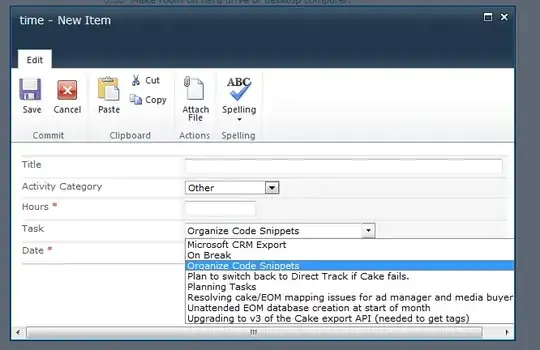
None of this is Silverlight, so it's definetely not a Silverlight issue.
You can see by the presence of the scroll bar at the bottom that the dropdown is fitting to the full width of the option value. What's happening is the fixed width/position of the dialog itself constraining how much of the form you can see (and demanding horizontal scrolling).
Your only option would be to make the dialog larger, though that would potentially affect all of the dialog boxes in the environment. Think of the dialog as a fancy styled iframe, which you'll see if you hunt through the DOM and look at the structure. The dialog is a specific width, and the iframe fills the dialog. Like any iframe, if the content within it is larger than the dimensions of the iframe, it will induce scrolling (which is what you're seeing here).
You won't be able to inject CSS to change the dialog size on the form, since the form page is inside the iframe, and you need to control the dialog itself (on the original page). You could implement a global solution to change all of the dialog boxes, but one would argue that using more practical (ie shorter) options on the dropdown is a far easier solution.