1

I've been running into a problem with permissions of AD groups occurring within SP groups. It's a well-documented point of ouch that I'm struggling with.

Ultimately, I want to loop through all the groups that a user belongs to and add a class to the tag of the site in order to apply some CSS to a few pages depending on the permissions of the user. The solution that worked for users directly added to a SP group is here. But this solution fails for group members who belong to the group, but are added via AD group instead.

In exploring a little bit further, I noticed that when I manually click on the Check Permissions button that is located on sites/[sitename]/_layouts/15/user.aspx, that the permissions are listed correctly no matter how a user has been added to the SP group.

My question: is there a way to access the results of whatever test is being performed by this "button" programmatically to do the same thing?

Thanks in advance!

Steven Ryan
  • 105
  • 10

1 Answers1

1

If you want to do things based on the current user's permissions here's your solution:

var ctx = new SP.ClientContext.get_current();
var web = ctx.get_web();

ctx.load(web, 'EffectiveBasePermissions');
ctx.executeQueryAsync(
    function () {
        var permissions = web.get_effectiveBasePermissions();
        Object.keys(SP.PermissionKind).forEach(function (key) {
            if (permissions.has(SP.PermissionKind[key])) {
                console.log('Current user has permission - ' + key)
            } else {
                console.log('Current user no permission - ' + key)
            }
        });                          
    },
    function (sender, args) {
        //error
        consol.log(sender);
        console.log(args);
    }
);

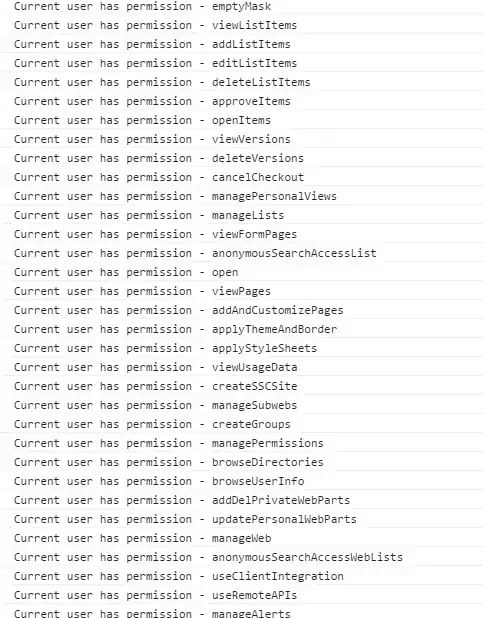
This outputs in the console - just check for your permissions via the SP.PermissionKind

enter image description here

Mx.
  • 3,323
  • 1
  • 20
  • 41