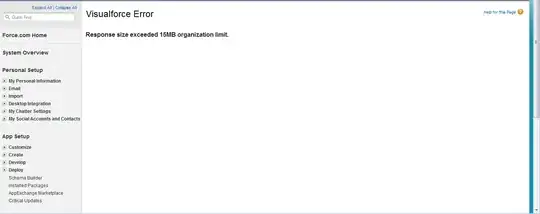
To add to Andrew's answer, in the JavaScript vein you could use JavaScript Remoting and call it from the page and use the JSON response along with a simple HTML template contained in the page markup in order to let you retrieve a massive amount of data without passing the markup in the normal page response.
The example below is a page which loads Note records via script and uses a client-side template to render it into the page. It'll load thousands of records in (typically) 2-3 seconds with zero impact to viewstate and it does not put any of the data in the page response.
Controller Class
public with sharing class AccountRemoteActionController {

    ApexPages.StandardController acctController;
    public Account theAccount { get; set; }

    public AccountRemoteActionController(ApexPages.StandardController cnt) {
        this.acctController = cnt;
        this.theAccount = (Account)this.acctController.getRecord();
    }

    @RemoteAction
    public static List<Note> getNotesByAccountId(String accountId) {
        List<Note> acctNotes = [SELECT Id
                                        , Title
                                        , Body
                                        , OwnerId
                                        , CreatedDate
                                        , CreatedById
                                        , LastModifiedDate
                                        , LastModifiedById
                                        FROM Note
                                        WHERE ParentId =: accountId
                                        ORDER BY CreatedDate DESC];
        return acctNotes;
    }

}
VisualForce Page
<apex:page standardController="Account" extensions="AccountRemoteActionController" >
<apex:includeScript value="//ajax.googleapis.com/ajax/libs/jquery/1.9.1/jquery.min.js" />
<script type="text/javascript">
var _tmplCache = {};
function parseTemplate(str, data) {
/// <summary>
/// Client side template parser that uses <#= #> and <# code #> expressions.
/// and # # code blocks for template expansion.
/// NOTE: chokes on single quotes in the document in some situations
/// use &rsquo; for literals in text and avoid any single quote
/// attribute delimiters.
/// </summary>
/// <param name="str" type="string">The text of the template to expand</param>
/// <param name="data" type="var">
/// Any data that is to be merged. Pass an object and
/// that object's properties are visible as variables.
/// </param>
/// <returns type="string" />
var err = "";
try {
var func = _tmplCache[str];
if (!func) {
var strFunc = "var p=[],print=function(){p.push.apply(p,arguments);};" +
"with(obj){p.push('" +
str.replace(/[\r\t\n]/g, " ")
.replace(/'(?=[^#]*#>)/g, "\t")
.split("'").join("\\'")
.split("\t").join("'")
.replace(/<#=(.+?)#>/g, "',$1,'")
.split("<#").join("');")
.split("#>").join("p.push('")
+ "');}return p.join('');";
//alert(strFunc);
func = new Function("obj", strFunc);
_tmplCache[str] = func;
}
return func(data);
} catch (e) { err = e.message; }
return "< # ERROR: " + err + " # >";
}
</script>
<script type="text/javascript">
var PageVars = {
AccountId: '{!JSENCODE(theAccount.Id)}'
};
var PageFunctions = {
ajaxStart: function (button) {
var $img = jQuery('<img class="ajaxImg" src="/img/loading.gif">');
jQuery(button).after($img);
},
ajaxStop: function () {
jQuery('img.ajaxImg').remove();
},
getNotes: function (button) {
this.ajaxStart(button);
AccountRemoteActionController.getNotesByAccountId(PageVars.AccountId, function (result, event) {
if (event.status) {
var $container = jQuery("#noteBlock .pbBody");
$container.empty();
// get the html from the template markup and send the results of the remote action into it
var html = parseTemplate($("#NoteTemplate").html(), { notes: result });
// append the generated html to the noteblock in the page
$container.append(html);
// style the first subheader with the class of 'first' so that it looks dapper
jQuery("#noteBlock .pbSubheader:first").addClass('first');
} else if (event.type === 'exception') {
document.getElementById("responseErrors").innerHTML = event.message;
} else {
document.getElementById("responseErrors").innerHTML = event.message;
}
PageFunctions.ajaxStop();
}, { escape: true });
},
formatDate: function (theDate) {
var d = new Date(theDate);
var curr_date = d.getDate();
var curr_month = d.getMonth();
curr_month++;
var curr_year = d.getFullYear();
return curr_month + "/" + curr_date + "/" + curr_year;
}
};
</script>
<div id="responseErrors"></div>
<apex:sectionHeader title="Account Notes" subtitle="{!account.Name}"/>
<apex:detail subject="{!account.Id}" relatedList="false" title="false"/>
<!-- Markup that resembles a pageblock -->
<div class="apexp">
<div class="individualPalette">
<div class="accountBlock">
<div class="bPageBlock apexDefaultPageBlock secondaryPalette" id="noteBlock">
<div class="pbHeader">
<table cellspacing="0" cellpadding="0" border="0">
<tbody>
<tr>
<td class="pbTitle">
<h2 class="mainTitle">
Notes</h2>
</td>
<td class="pbButton">
<button onclick="PageFunctions.getNotes(this);" class="btn">Load Notes with @RemoteAction</button>
</td>
</tr>
</tbody>
</table>
</div>
<div class="pbBody">
<!-- Notes Body result here -->
</div>
<div class="pbFooter secondaryPalette">
<div class="bg">
</div>
</div>
</div>
</div>
</div>
</div>
<!-- Markup is within a script tag with a type of text/html which prevents the browser from rendering it or executing it -->
<script id="NoteTemplate" type="text/html">
<# for(var i=0; i < notes.length; i++)
{
var note = notes[i];
#>
<div class="collapsibleWrapper">
<div class="pbSubheader tertiaryPalette">
<h3> <#= note.Title #> (<#= PageFunctions.formatDate(note.CreatedDate) #>) </h3>
</div>
<div class="pbSubsection note">
<table cellspacing="0" cellpadding="0" border="0" class="detailList">
<tbody>
<tr>
<td class="labelCol">
Note Owner
</td>
<td colspan="3" class="data2Col">
<a href="/<#= note.OwnerId #>"><#= note.OwnerId #></a>
</td>
</tr>
<tr>
<td class="labelCol last">
Created By
</td>
<td class="dataCol col02 last">
<a href="/<#= note.CreatedById #>" class="CreatedBy"><#= note.CreatedById #></a>,
<span class="CreatedDate"><#= (new Date(note.CreatedDate)).toLocaleString() #></span>
</td>
<td class="labelCol last">
Modified By
</td>
<td class="dataCol last">
<a href="/<#= note.ModifiedById #>" class="ModifiedBy"><#= note.LastModifiedById #></a>,
<span class="ModifiedDate"><#= (new Date(note.LastModifiedDate)).toLocaleString() #></span>
</td>
</tr>
<tr>
<td class="labelCol">
Private
</td>
<td colspan="3" class="data2Col">
<img width="21" height="16" title="Not Checked" class="checkImg" alt="Not Checked"
src="/img/checkbox_unchecked.gif" />
</td>
</tr>
<tr>
<td class="labelCol">
Title
</td>
<td colspan="3" class="data2Col">
<#= note.Title #>
</td>
</tr>
<tr>
<td class="labelCol">
Body
</td>
<td colspan="3" class="data2Col">
<#= note.Body #>
</td>
</tr>
</tbody>
</table>
</div>
</div>
<# } #>
</script>
</apex:page>