22

The original TRS-80 had a separate bank of static RAM for video memory, so that there would be no interference between display and CPU when the CPU was just doing calculations in main memory.

When it was updating the display, there was going to be a conflict. According to https://en.wikipedia.org/wiki/TRS-80

CPU access to the screen memory causes visible flicker. The bus arbitration logic blocks video display refresh (video RAM reads) during CPU writes to the VRAM, causing a short black line. This has little effect on normal BASIC programs, but fast programs made with assembly language can be affected. Software authors worked to minimize the effect, and many arcade-style games are available for the Tandy TRS-80.

Okay, the display and CPU cannot access video memory at the same time. But only about half the time is spent during active scan line. It seems to me the most obvious solution would be to give the display priority, make the CPU wait until the next horizontal or vertical blank interval; it would make the machine slightly slower, but that's less noticeable than a flickering display.

Why did they instead give the CPU priority?

Raffzahn
  • 222,541
  • 22
  • 631
  • 918
rwallace
  • 60,953
  • 17
  • 229
  • 552
  • 4
    I'm guessing here, because I don't know for sure. But the TRS-80 could've had slow-to-fade phosphor display technology. So a little black line is not so noticeable. Only if they happen often enough does it become noticeable, or if paired with another monitor. So the designers just said, "Okay, we can make this computer a bit faster than the competition". – Omar and Lorraine Nov 02 '21 at 10:54
  • 1
    @OmarL The monitor for the TRS-80 Model 1 was just a stripped down TV set, and it was optional: You could use your own TV set if you wished. https://en.wikipedia.org/wiki/TRS-80#Video_and_audio – Solomon Slow Nov 02 '21 at 17:22
  • 2
    I don't know what they needed to do to achieve it, but one of the Video Genie's plus points was that it didn't suffer from such flicker. (The Video Genie was essentially a clone of the TRS-80, and was known as PMC-80 in the States). – TripeHound Nov 02 '21 at 18:02
  • 3
    It was very rare for this to be noticeable. I was taken by surprise by it the one time I ran into it. I had the idea of writing a drawing program that would achieve grayscale graphics by rapidly cycling the pixels on and off, with, e.g., a 70% brightness being generated by cycling that pixel with a 70% duty cycle. BASIC wasn't fast enough to do this, but assembly language was. Unfortunately when I coded a test, I ran into the kind of artifact described in the OP. The fact that it took me by surprise shows how uncommon the issue was. I think most games in assembler had mostly black screens. –  Nov 02 '21 at 21:05
  • 1
    @SolomonSlow Yeah, exactly. Home computers were expensive back then and the customers were computer enthusiasts who weren't necessarily well-to-do. So a lot of buyers skipped the monitor. – Harper - Reinstate Monica Nov 03 '21 at 17:56

4 Answers4

28

Why did they instead give the CPU priority?

It's the lowest effort solution. It needs no additional hardware (*1). At the same time it's a transaction safe solution. Whatever the CPU writes gets written (or read). So no data loss.

Letting the CPU wait would need some logic to extend a CPU access cycle. A countable effort even if 'only' a few TTL. For a computer priced at the absolute lowest end (*2), adding a single TTL is of great consideration (*3).

Adding a glitch now and then seemed like a minor drawback - in fact even minimized by clearing the shift registers whenever a CPU access happened (*4).


On a side note: With computers like the TRS-80 it's worth to keep in mind, that, from a user perspective, the most important thing was to have a computer at all, so get text displayed and being able to handle that.

These machines were pure marvel. Tiny black streaks, less than sharp display or speed were not even recognized as special, even less as an issue. It was the way it was and users were in heaven - at least until the next bug hit :))


*1 - Note how the CPU read buffers are a play around the separate DI/DO pins of the 2102 chips.

*2 - At USD 399 (USD 599 with monitor and cassette recorder) the TRS-80 Model 1 was, way lower priced than a PET (USD 795, including a monitor), an Altair (USD 795, without a terminal) or an Apple II (USD 1,298 without a monitor).

*3 - For example, it is said that leaving out lowercase characters saved USD 1.50 in components thus reducing the retail price by USD 5.-

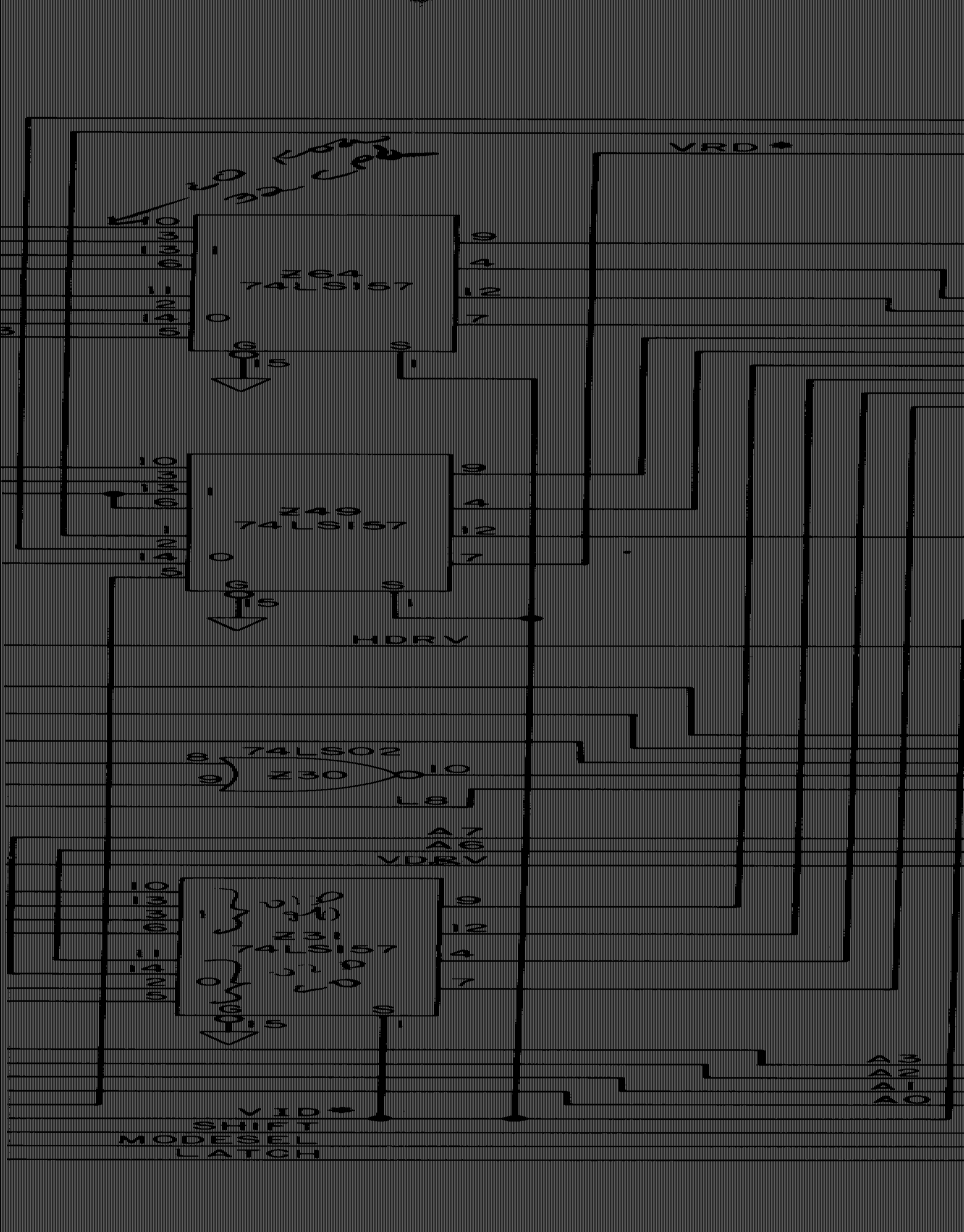
*4 - Clearing character and shift registers during CPU access made the screen to simply display nothing (black) during that time. This is way less intrusive than repeating the last bit pattern fetched for several character cells. It aligned the length of 'blanking' with character cells, so the black streak always ended where (more often than not) it would have to be black anyway, so following a characters pixel were always shown at full. All in all making it less obvious.

Raffzahn
  • 222,541
  • 22
  • 631
  • 918
  • 1
    My memory of how the TRS-80 looked is that the screen had dark static while it was e.g. listing a program, and I would think making the static dark would require adding an extra gate somewhere to prevent CPU data from getting latched to the display shifter. Am I misremembering, or did the TRS-80 adopt the "almost least effort" approach of blanking the display while writing. – supercat Nov 02 '21 at 16:02
  • 4
    @supercat Neither. The address decoder signal for video (/VID) did not only switch the address mux over to CPU, but as well clear the output data and pixel shift register, blanking output from start of access until end of the last character position touched. So even less effort by simply hooking the existing signal to the existing input pin :)) – Raffzahn Nov 02 '21 at 16:05
  • 1
    Can you clarify what you mean by "in fact even minimized by clearing the shift registers whenever a CPU access happened", this seems like you mean that the glitch could've been worse somehow. – Omar and Lorraine Nov 03 '21 at 03:17
  • 2
    @OmarL Without clearing the old content would have been smeared across the whole access time, giving a random number of white pixels repeates during that time, which are for sure more disturbing than no pixel. – Raffzahn Nov 03 '21 at 08:32
  • @OmarL added a footnote. – Raffzahn Nov 03 '21 at 11:11
  • 1
    Great job, have an upvote. – Omar and Lorraine Nov 03 '21 at 11:18
  • 2
    @OmarL you made and old man feel loved :)) – Raffzahn Nov 03 '21 at 11:19
  • 1
    wow, a real live .bmp file on the internet – user253751 Nov 03 '21 at 17:29
  • When you write USD 5.- do you mean $0.50, I.e. 50 cents / half a dollar? – Tim Nov 04 '21 at 00:34
  • 1
    @Tim USD 5,- is Five Dollar. How should an item with a cost of 1.50 raise the price by only half a dollar? – Raffzahn Nov 04 '21 at 00:40
  • @Raffzahn you have written saving a cost of components of $1.50. How would that reduce the cost by $5? They would be making a loss on the reduction? Example, if the iPhone camera costs Apple $10 less, they don’t give a $30 discount. They give $5. Otherwise they’re losing money (-$20) and reducing their profit margin? – Tim Nov 04 '21 at 01:04
  • 1
    @Tim It's about component/manufacturing cost vs retail, not about some kind of store discount. You need to think as manufacturer, not customer or sales person (and also not Apple trying to squeeze the highest possible price). I'm not sure if this is the right place for a lesson in basic economics, but lets go there: Assume you're building a computer, your design needs 10 chips, 1.5 USD each (including manufacturing etc.). That'll give a unit manufacturing price of 15 USD, resulting in a sales price of 50 USD for that computer. Now an improved design can do with just 9 chips. ... – Raffzahn Nov 04 '21 at 01:43
  • 1
    @Tim With that improved design, and the numbers given, calculate what will be the manufacturing cost, what will be the retail price (assuming the same factor between manufacturing and retail as before), and what will be the resulting price difference - i.e. how much lower the new design will be priced? Now clear? (As said, it helps to keep in mind that this wasn't Apple with a goal to squeeze out maximum profit, but Tandy with the intention to sell the cheapest possible computer - historical note: The TRS-80 was several times more expensive than the most expensive Tandy product before it) – Raffzahn Nov 04 '21 at 01:46
19

First of all: The TRS-80 was not the only computer with this problem, but there were many computers with this problem.

The effect you describe is sometimes called "CGA snow" because before the introduction of EGA cards (CGA cards were used in IBM PCs) IBM PCs were showing this effect.

... it would make the machine slightly slower ...

Depending on how much you write to the screen memory, the machine would have been massively slower.

Okay, the display and CPU cannot access video memory at the same time.
...
Why did they instead give the CPU priority?

To understand that question, we have to keep in mind that "CGA snow" does not happen because display and CPU cannot access the RAM the same time, but because they do access the RAM the same time.

A circuit that stops the CPU or the display would have been rather complicated and expensive - so the circuit is designed in a way that both the CPU and the display access the RAM at the same time.

The question remaining is: Which of both devices (CPU or display) has priority over the RAM address lines in this case?

If the CPU has priority (this is the case in the TRS-80 and in CGA cards), a pixel that should be shown at coordinate (x1,y1) is shown at coordinate (x2,y2). If the pixels at (x1,y1) and (x2,y2) have a different color (or, in text-only modes like the TRS-80: a different ASCII character), you will see some flickering.

If the display has priority, the data will be written to the wrong addresses in the display memory so the entire display content will be wrong forever!

=> If both CPU and display access the RAM the same time, the CPU must have priority.

I just looked at the schematics:

Using an additional 74LS125 it would have been possible to read back the HSYNC signal via software and implement your idea in software.

However, I doubt that there was still space in the 4K ROM (Level I) left...

TonyM
  • 3,704
  • 1
  • 19
  • 31
Martin Rosenau
  • 3,399
  • 3
  • 11
  • 23
  • 2
    I guess dual channel video RAM was too much to ask for. – Joshua Nov 02 '21 at 20:02
  • 7
    @Joshua: Having video RAM at all was a massive improvement compared to the Apple I. That used six 1024-bit shift register chips to hold the contents of the display, and a seventh to hold the cursor position (a 1024-bit chip was used to hold the cursor position by having one bit set and the cursor's present location, and the remaining 1023 bits clear!). As a result of this design, the Apple I could generally only write one byte per frame, save for "clear to end of line" and "clear screen" operations. – supercat Nov 02 '21 at 22:19
  • 1
    @supercat And let's not forget, it didn't make much difference how fast the "clear screen" operation was, since it could not be initated through software but only by asserting the CLR line on the kebyoard connector, IIRC. (I assume this was typically connected to a "clear screen" button.) The only control character the Apple I display had was CR to start a new line. – cjs Nov 03 '21 at 12:07
  • 1
    @cjs: I thought the clear wire was attached to the VIA, but maybe I'm imagining that the Apple could clear itself other than via through reset. I am curious what would have happened if the designers of the Atari 2600 had coordinated with Woz on the Apple I. I think a shift-register display could have, with less hardware, allowed more versatile screen I/O, though probably at the cost of using 512 bytes of PROM rather than 256 for the monitor. – supercat Nov 03 '21 at 14:46
  • 1
    @supercat No, I checked the schematic and the clear wire goes just to the keyboard socket. It's close to the via, but there are no extra free GPIO pins on the VIA to which you could connect it. (I suppose you could try connecting it to CA2 and setting up the PIA so that when you read from the video display output port it cleared the screen, but I'm not totally sure that would work, and it's certainly a bit dodgy. Then again, Woz was the master of dodgy. :-)) – cjs Nov 04 '21 at 08:02
  • 2
    @Joshua Dual-channel RAM in desktop computers came 25 years after the TRS-80, if my Google findings are correct. And RAM being accessed alternately by the CPU and the display (with twice the speed) became standard about 5 years after the TRS-80. However, the Acorn Atom is even worse than the TRS-80: It suffered the same effect, but without a memory expansion installed, the VRAM was also used to store programs!!! – Martin Rosenau Nov 04 '21 at 13:45
  • 2
    @MartinRosenau: And the bus speed wasn't fast enough to align VRAM reads with instruction fetches yet either. :( – Joshua Nov 04 '21 at 14:03
  • @cjs: I wonder why Woz didn't add more I/O using a 74138 and a 74273 for each 8 bits of output or a 74374 for each 8 bits of input? That would have eliminated the need to use a comparator to look for the value 13 being output. – supercat Nov 05 '21 at 04:01
  • @supercat Why Woz didn't do that? Ha ha ha. Remember, this is the guy that laid out high-res graphics rows in memory as 0,64,128,1,65,129,2,... so that he could save a couple of 74xx parts. :-) (Though, now that I think about it, that might have made dealing with unpacking the three lines of 40 bytes in each 128 byte chunk of memory a bit tricker. The real answer for most Woz things often seems to be, "go and try it, and then you'll find the deep subtle stuff that makes his method the best. I started working out the A1 video details at one point, but got pretty bogged down.) – cjs Nov 05 '21 at 10:08
  • @cjs: An important feature of the memory layout is that regardless of what mode you're in the behavior of the address pins that select the DRAM row will always be the same. Were that not done, code that changed graphics modes back and forth with certain 'evil' timing could prevent certain rows of the DRAM from ever getting refreshed. The aspect of the Apple I that I find weird is that it does all I/O using the VIA, and its I/O is somewhat limited as a consequence. Thinking about it, since the board has decoded but unused address strobes, adding 8 extra output pins could have just cost... – supercat Nov 08 '21 at 18:46
  • ...one chip, and using one of the saved I/O pins to trigger the CR would have eliminated at least one other chip. Actually, a nice design might have been to say that writing $00-$3F to $D000 would output a character, $40-$7F would perform a CR, and $80-$FF would clear the screen, all without using any of the VIA pins. – supercat Nov 08 '21 at 18:49
  • @cjs: I also find it curious that the cassette interface wasn't built into the machine, since I really can't see much use for the machine without one unless Woz was thinking people would use some other kind of storage device. A notion I've sometimes pondered is how much it would have cost to include a crude paper tape reader that required someone to drag the tape through the machine, and design a machine so that any access to a certain address when an I/O pin is in its default state would assert ready until the next byte is available from the tape and put it on the data bus. – supercat Nov 08 '21 at 18:55
  • @cjs: Doing that might make it practical to have a completely ROMless system, especially if a switch could select between having $Fxxx be RAM or the tape reader. When doing a cold start, one would have to feed in a paper tape to load the monitor code into RAM, but one could design a short boot loader that could then accept the rest of the monitor in a somewhat editable format (e.g. a list of records of the form address+length+data). This would make it possible to tweak the monitor more easily than if it had to be kept in ROM. – supercat Nov 08 '21 at 19:00
13

Most of the times when a lot of stuff was being written to the screen, people would want to wait for the display to be done updating before trying to read it. Letting the update get done faster was more useful than keeping the display clearer while it was being updated. I used a TRS-80 a little bit back in the day, and I remember the black static, but I didn't find it objectionable; I simply thought that's how computers worked.

supercat
  • 35,993
  • 3
  • 63
  • 159
5

A videoadapter can be fed with invalid data (resulting in flicker) if the memory is used by someone else. Obviously, you can't do that with the CPU: you have to stall it until the memory becomes available, otherwise the program it is running will crash.

To stall/resume the CPU a bus arbiter would have to be implemented, which costs money. In addition, systems where the CPU is frequently stalled are harder to program, as every assembly command accessing memory would have a worst-case timing which incudes the videoadapter memory access time. You won't be able to write accurate time-critical code which relies on instructions execution time.