34

Some Apple keyboards, such as the Apple //e, some early Macintosh models, and the venerable Apple Extended Keyboard have the homing bumps on the D and K keys instead of the standard F and J keys that almost everyone else uses. (e.g. IBM's venerable Model M)

Why? It frustrates touch typists so it seems like there must be some good reason.

Brian H
  • 60,767
  • 20
  • 200
  • 362
user
  • 15,213
  • 3
  • 35
  • 69
  • 2
    Which ones are you thinking about? – Thorbjørn Ravn Andersen Mar 07 '20 at 18:44
  • 10
    I would have sworn the bumps existed on mechanical typewriter keyboards for touch typing finger placement. I even remember being taught that in my 7th grade typing class. But I just dug out and looked at two mechanical typewriters here and no bumps. My reality is unraveling as I type. – Geo... Mar 08 '20 at 01:17
  • Brian, the original Macintosh did not have them. Are you eventually refering to later Mac models? – Raffzahn Mar 08 '20 at 14:40
  • @Raffzahn Seems present on Mac Plus and beyond. I was being intentionally "non-specific" by just saying "Classic Macintosh" as I based the edit on a few moments of rooting around the closet. – Brian H Mar 08 '20 at 21:02
  • 1
    @BrianH Sure. What I tried to point out is that 'Classic Mac' is usually associated with the original Mac, which most definitely didn't have the nipples (it also easy to be confused with the Mac Classic). See the list in my answer (got all of that machines here on shelf). – Raffzahn Mar 08 '20 at 21:25
  • Well, I think of the Mac Plus as one of the classics, but I'll change it to something even more non-specific. – Brian H Mar 09 '20 at 02:47
  • 1
    A minor nitpick, but are bumps really intended for touch typists, or people learning touch typing? As a touch typist myself, I can't imagine ever needing to feel my way to the bumps to know where my fingers are. – JBentley Mar 09 '20 at 13:04
  • 1
    @JBentley bumps are there for conformation of hand positioning without having [or being able] to see the keys and labels. While they offer the greatest gain for vision impaired users, they are still highly valuable for those of us who may have to switch hand positions without needing to look. [such as switching back and forth between numpad usage.] – TheLuckless Mar 09 '20 at 15:37
  • 1
    @TheLuckless Agreed, but my point was a touch typist doesn't need to be able to see the keys in the first place because they rely on muscle memory. Even travelling from the numpad I wouldn't be seeking out bumps, my hands just "know" where to return to. A good analogy is playing a piano piece which requires a lot of hand travel. A pianist doesn't need physical traits to identify particular keys, and indeed relying on them (both for piano and typing) would actually slow you down as you would spend time seeking them out rather than just landing straight on the correct key. – JBentley Mar 09 '20 at 15:47
  • Are you sure the Model M had bumps on F/J? The picture on Wikipedia for example does not show any bumps, and I'm pretty sure they were added to that model later in its life. – Joe Mar 09 '20 at 18:38
  • 4
    @JBentley, Have you never started typing with your hands out-of-position by one row or one column? I've been using qwerty keyboards for forty five years now, and I still do it every once in a while. It used to be less likely when keyboards didn't have quite so many keys as they have today. – Solomon Slow Mar 09 '20 at 20:20
  • @Joe Yes. All 5 Model-M's (different ages, oldest from 1984) over here have them. I've also got 2 later (1996) nearly identical PS/2 IBM keyboards (from terminals) that have them. They are not very prominent though. Easy to miss on a photo. I can't recall to have ever encountered a Model-M without them and I have handled at least a 100 of those keyboards over the years. – Tonny Mar 09 '20 at 22:47
  • @BrianH Thanks for the change, but the point is that exactly the early Mac models didn't have nipples at all. They were introduced with later keyboards and continued from there. – Raffzahn Mar 09 '20 at 23:17
  • This would be a help for blind typists. – Rab Mar 10 '20 at 12:38
  • Typewriters - as opposed to keyboards on devices - also had the rows of keys at different heights. That also helped you automatically position your hands - the right row just felt correct. – davidbak Jul 20 '23 at 16:15

4 Answers4

37

The official answer (archived here) is that they pretty much made it up as they went along:

At some time in Apple's history it was decided to put the "bumps" on the D and K keys while some other computer companies use the F and J keys. With the release of the PowerBook G3 Series, Apple moved the bumps to the F and J keys.

Apple engineering has indicated there is no standard, such as ISO or ANSI that specifies which keys should have these "bumps," or that they should have the "bumps" at all.

Raffzahn
  • 222,541
  • 22
  • 631
  • 918
Michael Graf
  • 10,030
  • 2
  • 36
  • 54
  • 8
    There is an original (pre computer) sytem for learning with D/K as it's to be detected with your middle finger - much like the dor on 5 for numeric keyboards - except, so far I couldn't find any reference written or on the internet. – Raffzahn Mar 07 '20 at 19:58
26

Personally I know this from a typewriter course in school (ca. 1973). The machines we used hat slightly different cavity on D/K to support touch-typing. we were supposed always rest our middle fingers there while having the rest afloat. A similar lesson was given for the use of adding machines with a similar keycap for the 5 key. But so far I couldn't find any reference online.

This was Germany. Comments and other answer suggest that it was similar in other European countries (Denmark, Norway, Sweden). So D/K might have been a de facto standard for pre-computer typing to support a touch type method used at least in Europe, which Apple may have used.

Some Apple specific timeline:

  • Original Apple II, II+, III, Lisa and Macintosh didn't have any markings.

  • The IIe keyboard (1983) was the first to introduce them on D/K.

  • All later Apple II (IIe, IIc, IIc+) also got them while the 'professional (III, Lisa, Macintosh) stayed without.

  • The Macintosh Plus (1986) keyboard was the first in the Mac line with bumps (D/K).

  • They stayed there on all following (ADB) keyboards (Mac as well as Apple IIgs).

  • With introduction of USB keyboards(*1) with the eMac, they got moved to F/J.

  • All Apple Keyboards since ~2000 have them at F/J


*1 - Essentially using the PC keyboard hardware.

Omar and Lorraine
  • 38,883
  • 14
  • 134
  • 274
Raffzahn
  • 222,541
  • 22
  • 631
  • 918
11

The bumps were on the D and K keys because these letters are touched by the longest fingers, which come into contact with the keyboard first if the hands are relaxed.

Landing on the wrong key is recognised instantly.

Having to bend your three fingers on each hand, lifting up the thumbs to make room for letting the index fingers detect being in the right position takes more effort. Also leaning on the keyboard idling is keeping into contact with the middle fingers on the D and K keys, confirming correct placements while hand muscles are relaxed.

This may not be a big effort, but if it is one you have to sustain all day, it matters. Back in the day it was rumoured that Apple had its word processors tested by typists that were used to mechanical type writers. I can imagine they also had a voice in the decision of bumping the D and K.

Greenonline
  • 4,296
  • 2
  • 19
  • 57
el jonco
  • 111
  • 4
  • No one touch-types with their fingers extended. – KRyan Mar 09 '20 at 19:33
  • That's an interesting concept and I believe one of opinion. As a touch typest when I rest my hands on the keyboard naturally my middle fingers lie on (e) and (i) respectively. It could well be that most people do not type this way but I believe resting your fingers on (d) and (k) would require you to bend your fingers? – GhastlyCode Mar 10 '20 at 10:45
  • 1
    People who wear very long artificial nails do touch type with their fingers extended. It looks as awkward as you'd imagine. – davidbak Jul 20 '23 at 16:13
  • 1
    +1 for the longest finger argument. I personally specified pips on the Keytronic keyboard we had designed for the last computer system we built at a company I worked for in the 80's, and I put them on D/K for just this reason. To match the pip on the 5 numeric keypad key. I no longer recall exactly why/how I came to do this, whether I read it somewhere or... but I clearly remember the rationale. – jimc Feb 28 '24 at 18:01
6

I learned to touch type while doing my service in the Swedish Air Force. We were trained to use D and K as home keys for left and right middle finger.

This was in 1989, and it was a standard in Sweden in touch typing courses.

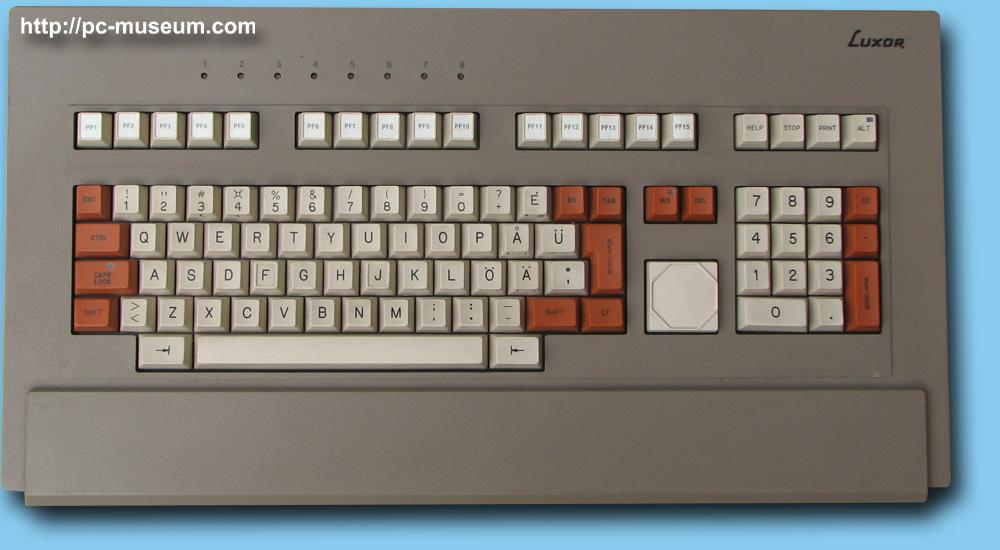
I checked on two keyboards (all swedish variant): my LK201 keyboard: no marking on dfjk while the ibm type M at f and j.

Runes datormuseum has a picture of a ABC99 keyboard which is a mid 80s swedish made computer keyboard for the ABC1600 unix machine, this kbd has a small marking on F & J, so i wonder if it really was swedish made or if it was sourced from Japan for example.

Stefan Skoglund
  • 387
  • 1
  • 6
  • From memory, my LK201 keyboard at least has the D and J curved slightly differently. The curve is deeper on those keys, but there's no little bump. – Omar and Lorraine Jul 20 '23 at 16:01