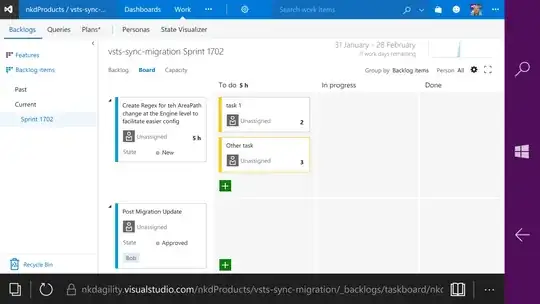
On Visual Studio Team System (VSTS), I understand that Remaining Work (Microsoft.VSTS.Scheduling.RemainingWork) should automatically roll up from tasks to PBIs (Product Backlog Items)/Bugs (of course if they're linked through Parent/Child link type). I created a new Process (from modified Scrum process), new project and assigned my new process to the new project I had created. So far so good.
When I create tasks either under a PBI or a Bug, the Remaining Work I enter in these tasks doesn't roll up to their parents (PBIs/Bugs). I compared the new template to an existing one (the existing one actually rolls everything up properly) and couldn't find any differences as far as this field (Microsoft.VSTS.Scheduling.RemainingWork) is concerned. Is there an additional setting that I need to check somewhere for the Roll-up to start happening?
I have Microsoft.VSTS.Scheduling.RemainingWork field defined in PBI, Bug and Task templates and all of them have Formula = 'sum'.
Below is the screengrab of the field's definition which is exactly the same for all 3 work item types (PBI/Bug/Task)