Gosh, the very platform where you are asking your question supports MathJax. As you start writing an answer like I am doing now, $\LaTeX$ and math equations $$x^2+x-1=0$$ get rendered in a preview box below. Try it!
Now look at the MathJax demo page.
https://www.mathjax.org/#demo
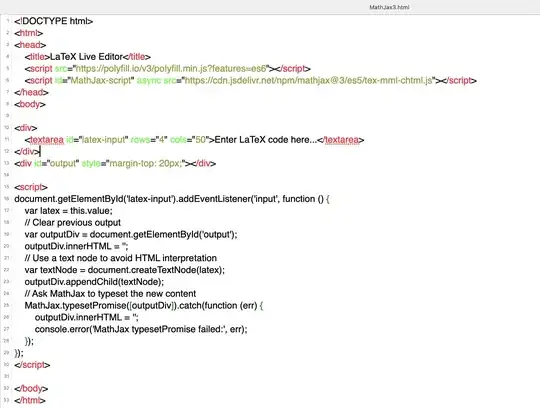
You can make your own interactive LaTeX MathJax interface like what you find on StackExchange by making an html file on your local computer with the syntax shown in the image below, then open the file with your browser. Make sure that when you make the file with your text editor, you use plain text, not RTF. Make sure the extension for your file is .html
After you open the file with your browser and start typing math code, use \( and \) for delimiters, not dollar signs!
Here is the image. Note: I tried to paste the text into here, but the indentations got lost, so I will settle for a screenshot of the html file. If you are interested, ask me in a comment and I can post a link to the html file so you can save it to your computer.
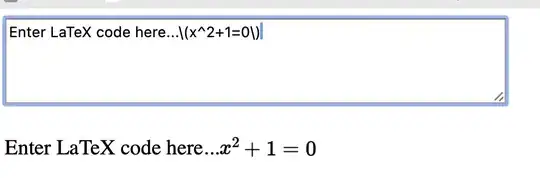
Here is the simple interface I get when I open the file with a web browser and start typing math.
But when I need to do what you are describing, I usually use Jupyter notebooks in Google Colab.


