Turns out this was more difficult than I though it'd be to find. Apparently the search term I was missing was "BC 1.2", short for the USB Battery Charging 1.2 Compliance Plan—the part of the spec that allows for higher current charing over USB, without USB-PD.
Hub
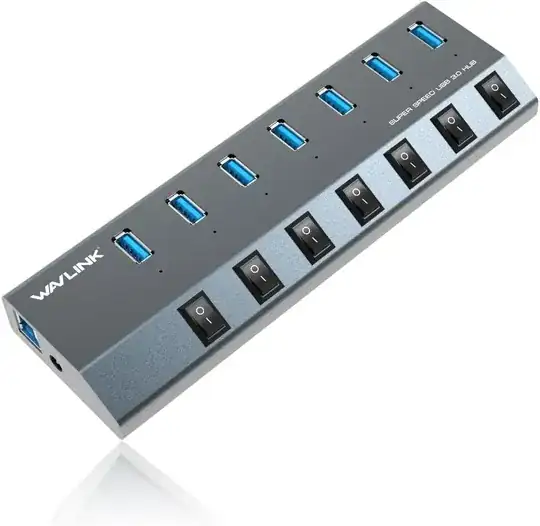
As you've found, this (along with its harder-to-find 4-port sibling) appears to be the only USB-A hub with all 2.4A ports. A few other manufacturers also sell the same hub with their branding on it, but the Wavlink branded one is the most consistently available and cheapest. Hopefully you should be able to use at least 3-4 of the ports consistently at full power, even if you can't get all of them at 2.4A. You could try a higher amperage power supply (it's not going to hurt anything), but I certainly wouldn't guarantee it does anything.
Front panel
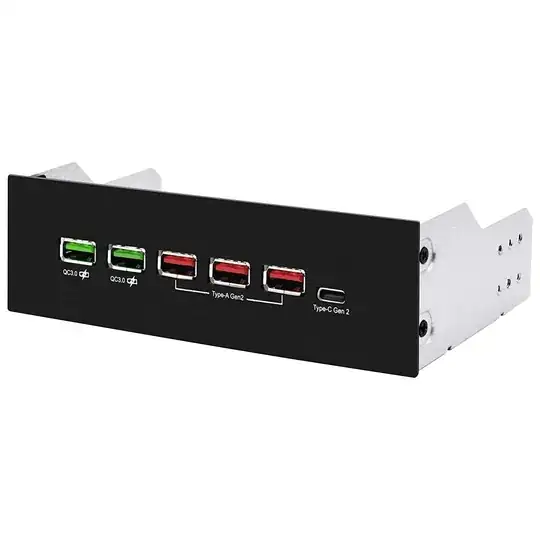
It's not the most efficient solution in terms of ports/$: of the six ports it provides, only four provide data (though all provide at least 2.4A of charging.) That said, if you're going to be plugging and unplugging your devices frequently, the convenience of a front-panel solution might be worth the extra cost—even if cases with 5.25" bays are harder to come by these days. Plus, it uses a USB 3.1 Gen 2 internal header, so you'll get a bit of extra bandwidth (even if that doesn't matter much.)
PCI-e cards
Setting aside the benefits of extra controllers/bandwidth, it's actually cheaper to just buy PCI-e cards than to buy hubs (strange as that is.) Given that these appear to be more reliable in terms of power delivery and how much cleaner this makes things, I figured I'd throw these in here as well.
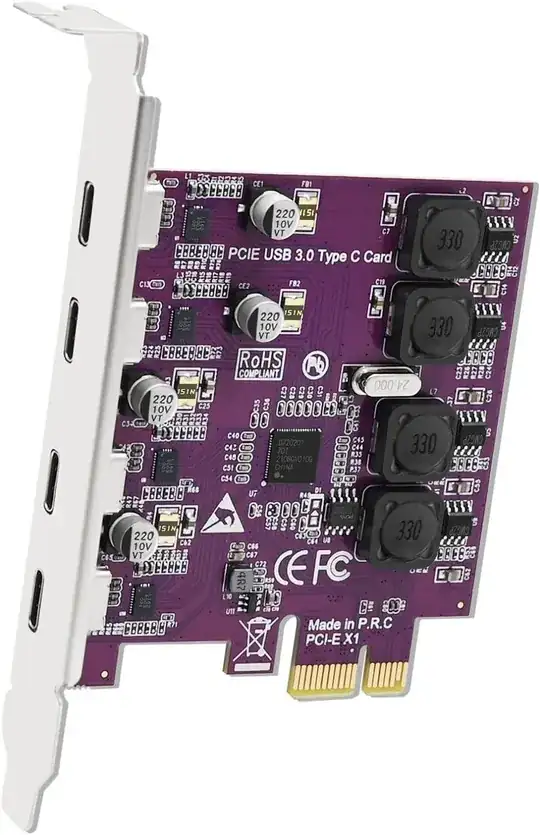
It sure isn't the quickest card in the world—it's using an older USB 3.0 controller—but it's quite cheap, and supplies 5V/3A to each port. Given that the Quest is natively a USB-C device anyways, a couple of these seems like it'd probably be the cleanest solution in my mind (assuming you have the PCI-e slots.)
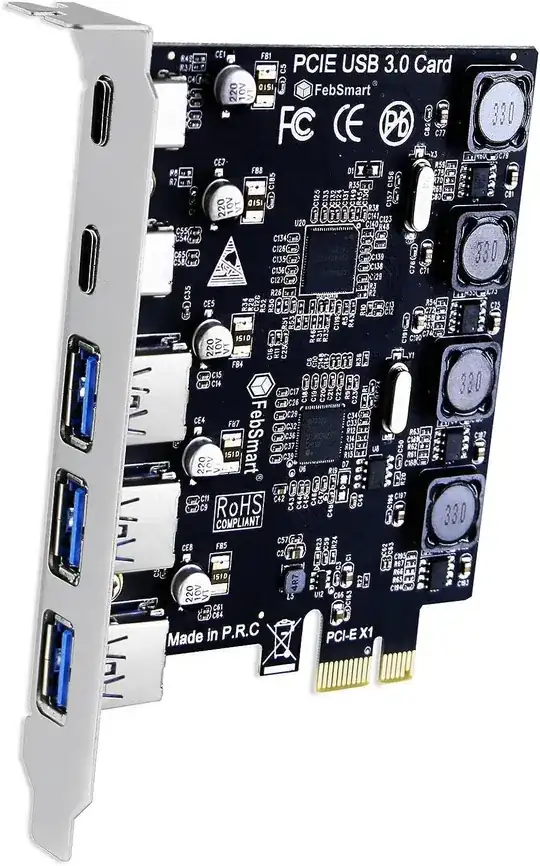
For a few dollars, you can trade two of the USB-C ports for three USB-A ports (plus an extra controller.) All ports still get 5V/3A of power. While FebSmart does make a few other cards, including a 5-port USB-A card, those only supply 5V/2A to each port, so I've left them out.
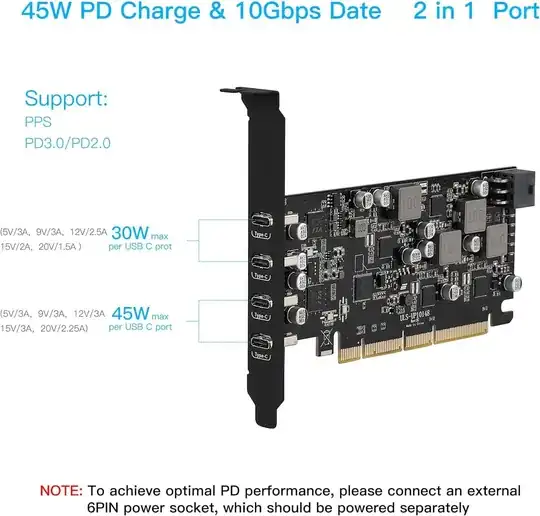
It's a bit pricier, but you get a lot more for your money. You get a proper ASMedia controller rated at 10 Gbps per port, with the top two ports supporting 30W USB-PD, and the bottom two supporting 45W USB-PD.


Interesting thought about the add-in card; I hadn't considered that route tbh. That probably would be perfect if I had only one device to drive, but I have around a half-dozen at the moment so I need a more scalable solution.
– tophyr Dec 17 '23 at 16:09