I don't have AutoCAD installed but I use DWG TrueView instead, without any problems.
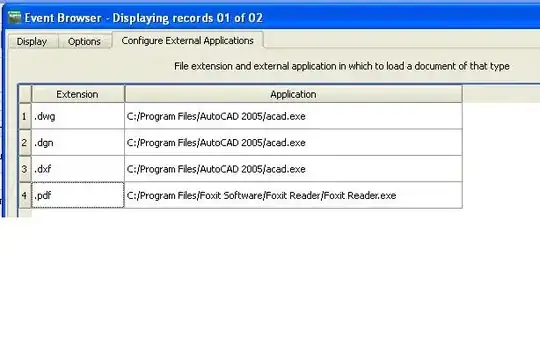
Below is the Event Browser configuration:

Normally I don't use relative paths (I use an URL instead) but for this example I've made the necessary modifications:


All you have to do now is to double click the green line and your drawing will be displayed as expected:

Now, as everything is working ok, I want to give you, supplementary, some hints about the eVis configurations:
- on different sites/forums you'll see a lot of advices about the base path and how to store your file name in the database (with or without a trailing/leading slash/backslash).
- I'm pretty sure that everyone has a working solution but, if you have any doubts with the eVis configuration, just remember you can easily identify what's happening, with the help of a
process explorer utility.
- just take a look at the
TrueView starting line, to see how it looks after all the configuration you made:

This is the (red circled) proper start line:
"C:\Program Files\Autodesk\DWG TrueView 2014\dwgviewr.exe" c:\temp\1\street.dwg
Any configuration you made, will be shown here, for you to examine it, and to understand why something doesn't start, as expected.