If you want to batch style your layers you may select the source layer, right click on it and choose Copy Style.
Then select your target layers keeping the Ctrl key pressed.
Eventually, go to the Layer menu and choose Paste style.
I've noticed that the Paste style menu is activated only when the target layers are similar to the source layer.

EDIT
You can easily paste your copied style in a text editor, using Ctrl+V to study it.
Or you can save the initial layer style in the .qml or .sld file format, in a separate folder called QGIS styles, for example.
Then, when you create a new layer, just browse the QGIS styles folder for a convenient style. This way, styling will become an integrated part in the new layer creating process.
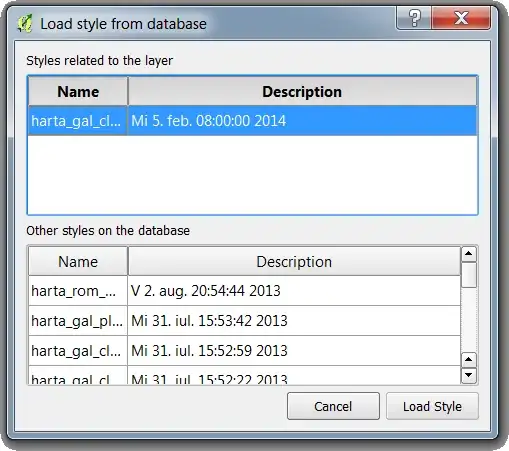
A better approach, especially in a medium with more developers involved, you can save/load your layers' styles directly in/from the database: