At the risk of causing offence your predecessor has shown a remarkable lack of understanding and dropped you Royally in it! You need to make sure your line manager fully understands the situation they have left you in.
If they had drawn the graphics in the map view (as opposed to layout view) you could right click on the data frame in the TOC and choose convert graphics to features and export them, so no need to redraw them, as shown below:

But as you have indicated they have drawn them as graphics in the layout view, this means they are in page units, the 2 pink polygons are graphics in layout and you can see by their properties they are in cm.
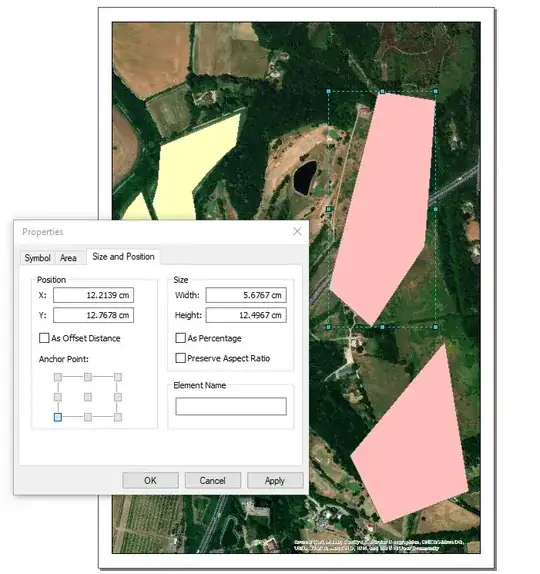
The GraphicElement class exposed by arcpy does not expose the geometry itself, so its easy to script to grab a hold of the graphics from layout but you cannot actually get to the polygon drawn by it. I suspect even if you could the units of the graphic are in page units so don't plot in any sensible location if you could store them away as polygons in a featureclass.
I've not tried it but using ArcObjects you can access the elements on a page layout through IGraphicsContainer and from that access the geometry, but you would need to work out how to transform the graphics to real world coordinates and that bit I'm unsure of and would undoubtedly require considerable coding.
I have no idea but have you tried importing the MXD into ArcGIS Pro, may be that exposes tools for saving out graphics as geometries with spatial coordinates in a featureclass?


