An option you can consider is using the "Actions" feature. This document from QGIS provides a good example to use.
https://docs.qgis.org/2.8/en/docs/training_manual/create_vector_data/actions.html
The school_property layer has no way to associate an image with a property yet. First we’ll create a field for this purpose.
Open the Layer Properties dialog.
Click on the Fields tab.
Toggle editing mode:

add a new column
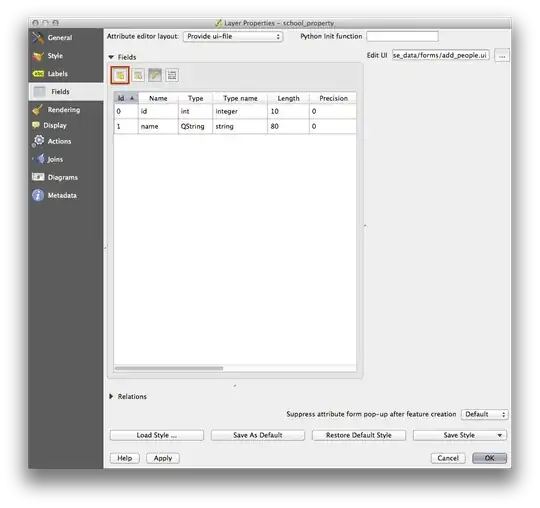
Once those details are setup,
Click on the browse button (the ... next to the image field).
Select the path for your image. The images are in exercise_data/school_property_photos/ and are named the same as the features they should be associated with.
Click OK.
Associate all of the images with the correct features using this method.
Save your edits and exit edit mode.


Displayvector layer properties by configuring html code and it will display the exhibits by hovering the feature ? (link to the doc) – J. Monticolo Jul 25 '19 at 13:11