My data:
n1    n2    n3    NEW_COLUMN
11    null  null
null  33    null
null  null  55
My desired result:
n1    n2    n3    NEW_COLUMN
11    null  null  11
null  33    null  33
null  null  55    55
My data:
n1 n2 n3 NEW_COLUMN
11 null null
null 33 null
null null 55
My desired result:
n1 n2 n3 NEW_COLUMN
11 null null 11
null 33 null 33
null null 55 55
You could simply use the Coalesce function which returns the first non-NULL value from the given columns (fields). Insert this expression into the Field Calculator as a new field:
coalesce( "Field_1", "Field_2", "Field_3" )
Below is a simple example:


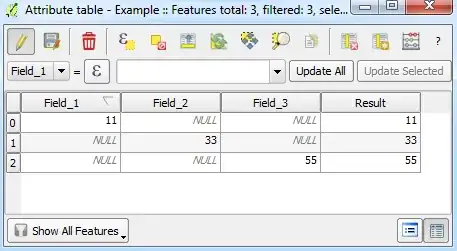
If a feature has columns with multiple values (eg. 1, NULL, 3), then you may need to include ElseIf statements to decide which values to take.
Hope this helps!

