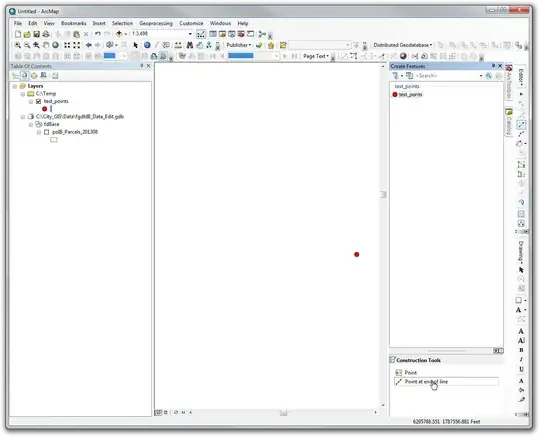
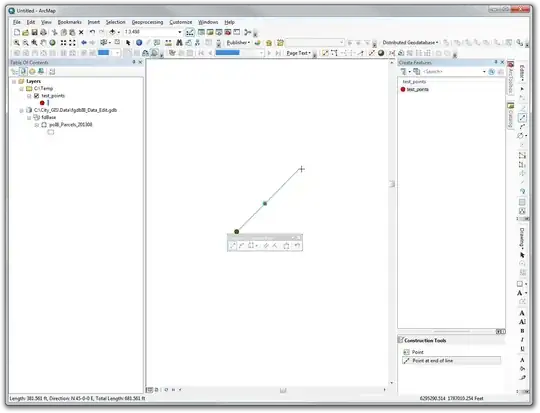
(Edit: The distance direction method mentioned in the other answer sounds like the way to go. Here is more detailed help on how to use that method. However, for a huge number of points on a line I would use the Distance Direction method to create a two point line at the angle you want with a length that is the multiple of the spacing distance you want and the number of points you want minus 1, then use the Densify method with the distance parameter set to the spacing distance you multiplied by, then convert to points using the All option of the Feature Vertices to Point tool and finally copy/paste or append the points to the point feature class. These steps could create hundreds or thousands of points on a straigh line in that many steps).
As far as I know you cannot align them with any key operations or tools that use graphic style alignment methods (align horizontal/vertical, distribute evenly, etc). You can create graphic points, use the graphic align tools to space them and align them and then convert them to features in a new shapefile/feature class. Then you can copy/paste them in an edit session or append them with the Append tool from the new shapefile/feature class into your existing point shapefile/feature class.
Alternatively you could create a two point line feature and use the Densify tool on the line to create evenly spaced vertices on the line. Then use the Feature Vertices to Points tool to extract all vertices as points. Then copy/paste or append them to your point feature class.
For existing points you could create a line feature and snap the existing points to the line using snapping or topology. You could use a densified two point line and vertex snapping to get the existing points to snap to the evenly spaced vertices along the straight line. To make a line feature segment constrained to a certain angle you can use the angle and length segment editing method described here.






Query Layersin ArcGIS are Read Only. You will need to do your editing in another GIS package if this is the case. If you are storing the layer in ArcGIS server, or I am missing something, feel free to clarify. – Get Spatial Dec 05 '14 at 23:39