The problem with this book in particular is that the person who created the AWZ3 file used <div> blocks for every paragraph instead of <p> blocks. Apparently the word-count plugin skips <div> text, so it only counts a few words in the Titles, etc.
I used Calibre to edit the book, as follows:
Tools > Transform HTML > Add rule
From there select "matches CSS Selector" and I filled in div.fmtx1. Then I selected "Change tag name" and set it to p. I made a second rule for div.ftmx as well. See screen shots:
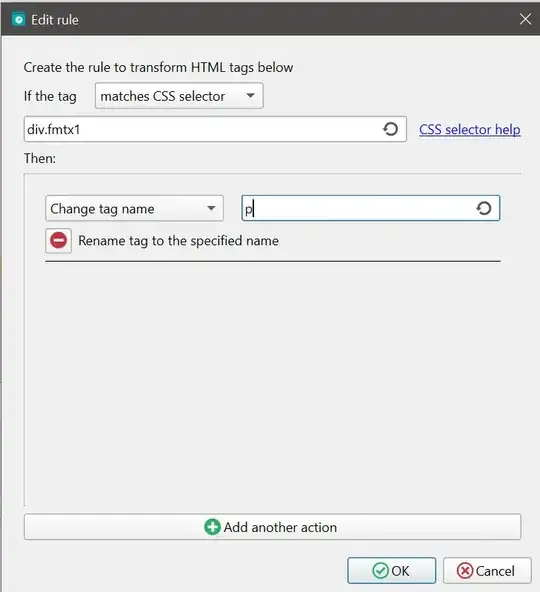
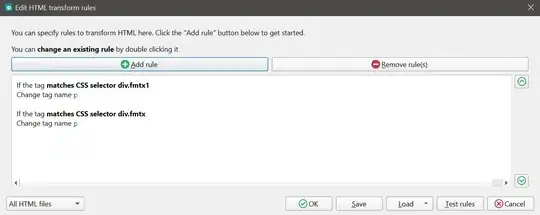
Then I hit "OK". I also had to add a rule to the CSS to make the <p> tags render the same:
p {
  margin: 0;
  line-height: 1.3;
}
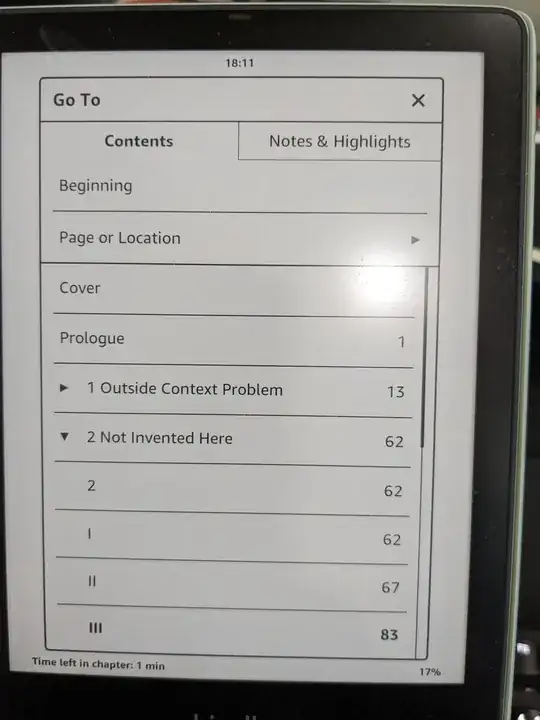
Then I saved the book, loaded it on the Kindle again, and the page count is fixed:
The exact steps above won't work for every book (if they're using something other than a div, or a different class name other than fmtx and fmtx1), but knowing that you need <p> tags to get the text counted correctly should get you most of the way there.


