8

I'm trying to implement a modified version of the otsu binarization algorithm. I'm trying to binarize document images. But in the binarization procedure I want the object (in this case the text) to retain its original grayscale value while the background takes the value of 255; that is, white. I'm posting a sample image version that I found in a paper.

This is the original image: enter image description here

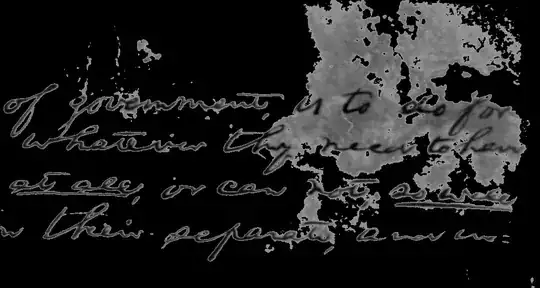
This is the resultant image I want to obtain: enter image description here

Could someone please tell me how to do it in Matlab?

Emre
  • 2,877
  • 17
  • 22
mark
  • 475
  • 1
  • 7
  • 6

2 Answers2

8

I don't have Matlab handy, but here is how you do it in OpenCV. The example below uses the python interface via Python (x, y):

test = cv2.imread("test.jpg", 0)
(_, otsu) = cv2.threshold(test, 0.0, 255.0, cv2.THRESH_TOZERO_INV + cv2.THRESH_OTSU)
cv2.imshow('otsu', otsu)

This results in your required output: enter image description here

EDIT : I don't have a copy of Matlab, but I think this is how you would do it (assuming you have the Image Processing Toolbox):

Use graythresh to get the Otsu level, then set anything above that level to white (or 255).

I = imread('doc.jpg');
I = rgb2gray(I);
otsuLevel = graythresh(I);
I(I > otsuLevel) = 255;

Hope that helps!

mevatron
  • 351
  • 1
  • 5
6

You can easily do it with Mathematica:

img = ColorNegate@ColorConvert[Import["../Desktop/sample.jpg"], "Grayscale"]
ColorNegate@ImageMultiply[Binarize[img], img]

The negation and multiplication business is to ensure the preservation of the original grayscale value. You can easily translate this to any language, I think.

Filtered result

Emre
  • 2,877
  • 17
  • 22