Background
I have a query running against SQL Server 2008 R2 that joins and/or left-joins about 12 different "tables". The database is fairly large with many tables over 50 million rows and about 300 different tables. It's for a large-ish company that has 10 warehouses across the country. All the warehouses read and write to the database. So it's pretty large and pretty busy.
The query I'm having trouble with looks something like this:
select t1.something, t2.something, etc.
from Table1 t1
    inner join Table2 t2 on t1.id = t2.t1id
    left outer join (select * from table 3) t3 on t3.t1id = t1.t1id
    [etc]...
where t1.something = 123
Notice that one of the joins is on a non-correlated sub-query.
The problem is that starting this morning, without any changes (that I or anybody on my team knows of) to the system, the query which usually takes about 2 mins to run, started taking an hour and a half to run -- when it ran at all. The rest of the database is humming along just fine. I've taken this query out of the sproc that it usually runs in and I've run it in SSMS w/ hard-coded parameter variables with the same slowness.
The strangeness is that when I take the non-correlated sub-query and throw it into a temp table, and then use that instead of the sub-query, the query runs fine. Also (and this is the strangest to me) if I add this piece of code to the end of the query, the query runs great:
and t.name like '%'
I've concluded (perhaps incorrectly) from these little experiments that the reason for the slow-down is due to how SQL's cached execution plan is set up -- when the query is a little different, it has to create a new execution plan.
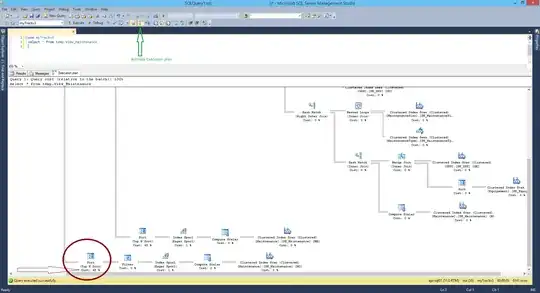
My question is this: When a query that used to run fast suddenly starts running slowly in the middle of the night and nothing else is affected except for this one query, how do I troubleshoot it and how do I keep it from happening in the future? How do I know what SQL is doing internally to make it so slow (if the bad query ran, I could get its execution plan but it won't run -- maybe the expected execution plan would give me something?)? If this issue is with the execution plan, how do I keep SQL from thinking that really crappy execution plans are a good idea?
Also, this is not a problem with parameter sniffing. I've seen that before, and this is not it, since even when I hard-code the varaibles in SSMS, I still get slow performance.