I cannot seem to include my CSS and JS files from the craft/templates/ directory into my website.
I've looked at this answer - Serving CSS files from template folder - and it tells me I simply need to have a styles/styles.css folder and I use {% includeCssFile "/styles/styles.css" %} and it should work. But it doesn't. I have a similar problem with the javascript includes. {% includeJsFile "js/lodash.min.js" %} command works, but once I navigate to any other URL, it tries to include the file http://localhost/craft/news/2016/js/lodash.min.js.
My folder structure looks like this:
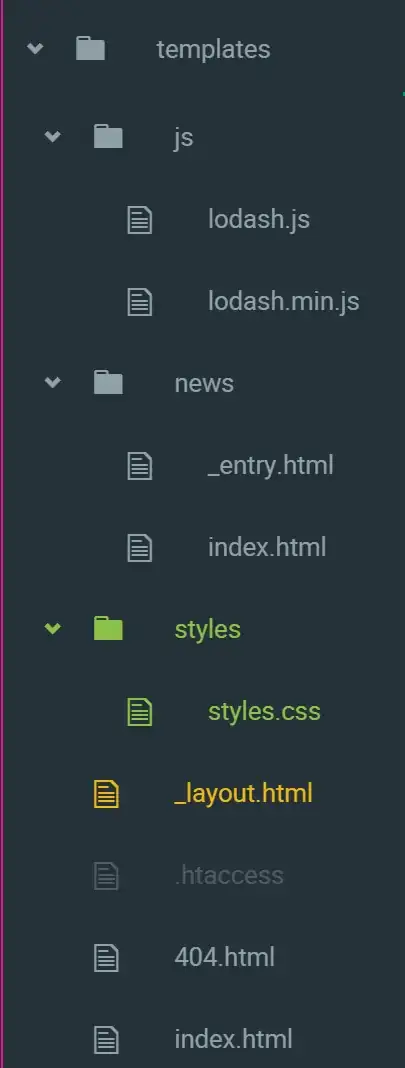
I'm trying to keep all my assets in this craft/templates/ folder because I created a git repo in the craft main folder.


