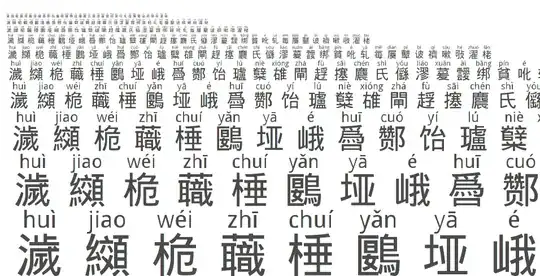
Yes a font does exist with pinyin on top of every character and it can be obtained from the Chinese page at www.pinyinok.com/pyhzk.htm but I do NOT recommend it for learning, because taking only the most common reading of every character leads to too many fundamental mistakes (e.g. 音乐 "music" comes out as "yīn lè" instead of "yīnyuè"). I came across one beginner whose techie friend had installed this font on her Windows PC for her to use with a reference CD-ROM and she honestly thought the resulting pinyin was official and definitive when it wasn't.
It's much better to use a good pinyin annotator if the application supports it (e.g. a web browser can use plugins, bookmarklets or annotating proxies), or at least copy and paste your text into an application that can annotate it.
(I'm not sure what to do about text that can't be copied though. Jingshan Ciba on old versions of Windows might help but I've not tried it. Learning to recognise a few basic characters can help, as can having an emergency backup in the form of a smartphone with Pleco on it, on which you can stroke or otherwise capture unknown characters.)
Yes it is possible to design a font that accounts for some (but not all) context, rendering 音乐 as 1 word yīnyuè for example, but the bad news is it would have to use a font technology that supports automatic ligatures. Modern Windows has OpenType, but OpenType automatic ligatures are supported only in applications that use WPF (Windows Presentation Foundation) on NET 3+. That leaves out an awful lot of Chinese CD-ROMs that still use the earlier GDI interface. These applications will not get the ligatures if such a font were to be designed. I don't know if anyone has done it; I was thinking of doing one myself but was put off when I realised it won't help GDI applications.




8119code point out of34132whosekHanyuPinyinfield has two or more pronunciations so ~25%. These pronunciations are order by commonality so even if not a perfect solution it does help (at the beginning) – Édouard Lopez Sep 08 '13 at 08:10