First of thanks for taking a look at my question.
The problem
Please take a look at the following gif:
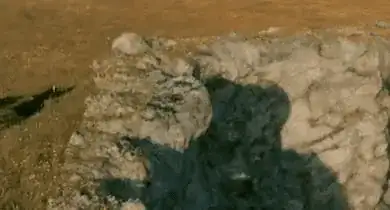
Instead of using a grass texture I made the grass transparent since the background video already had grass in it. This way the whole thing would match nicely in the final composite.
In the cliff on the left you can see the shadow of the backfaces moving through the transparent grass. To counter this I made the backfaces transparent with the following node setup:
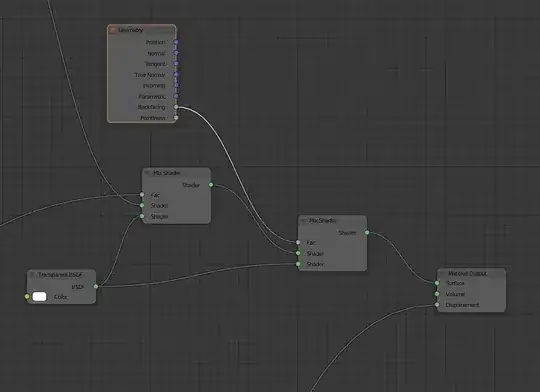
However, now you can see the frontface of the object trough the transparent backface.
Question
How can I hide/not render the parts of the mesh that are behind the transparent material/grass?
EDIT (further explanation)
Gif:
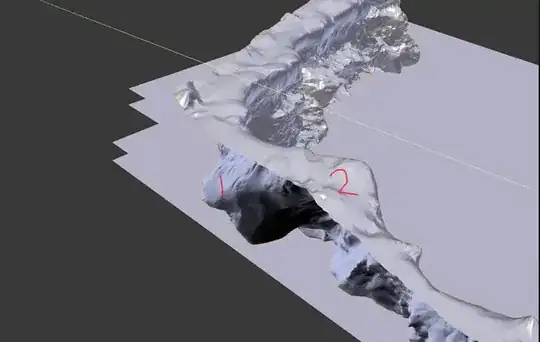
2 is the top of the cliff you can see in the first gif. '2' is partially transparent so it matches nicely with the plate (vid).
1 is the backface of the rock that you can see moving in the first gif. I want this to not be visible trough '2'. Making '1' transparent doesn't work, neither does changeing the transparency passes. Since 1 transparency pass will just show the back face again..
